I recently came across BypassGPT and I’m trying to figure out if it’s actually reliable and safe to use for everyday tasks or work projects. Online reviews seem mixed, and it’s hard to tell what’s real and what’s marketing. Could anyone share genuine experiences, pros and cons, and whether you’d recommend it over other AI tools?
BypassGPT review from someone who fought with the free tier
BypassGPT review
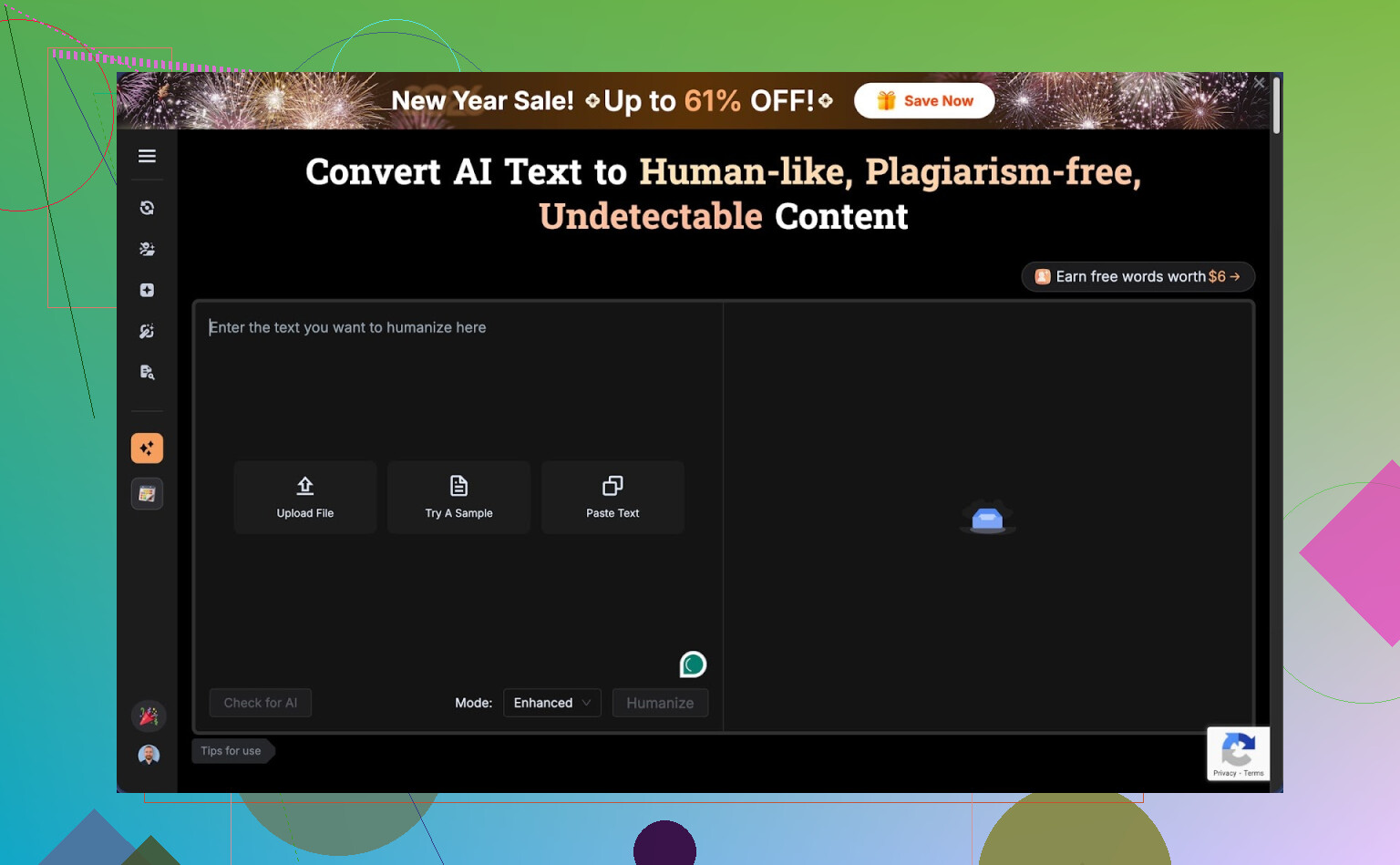
I tried BypassGPT because I wanted to see if it handles AI detection better than the usual “humanizers”. Short version, I barely got to test it before hitting a wall.
The free plan limits you to about 125 words per input and around 150 words per month total. That is not a typo. One decent paragraph and you are done.
To even reach that 150 words, I had to sign up for a free account, which unlocked around 80 more words. After that, I could only run one of my normal test samples. Not a full suite, not variations, one sample.
The cap seems tied to IP, not accounts. I tried making another account from the same connection and the limit stayed dead. If you want more, you would need to switch IP with a VPN or mobile hotspot.
Screenshot from my test run:
How it did with AI detection tools
With that tiny sample, I still ran it through a few detectors I use often.
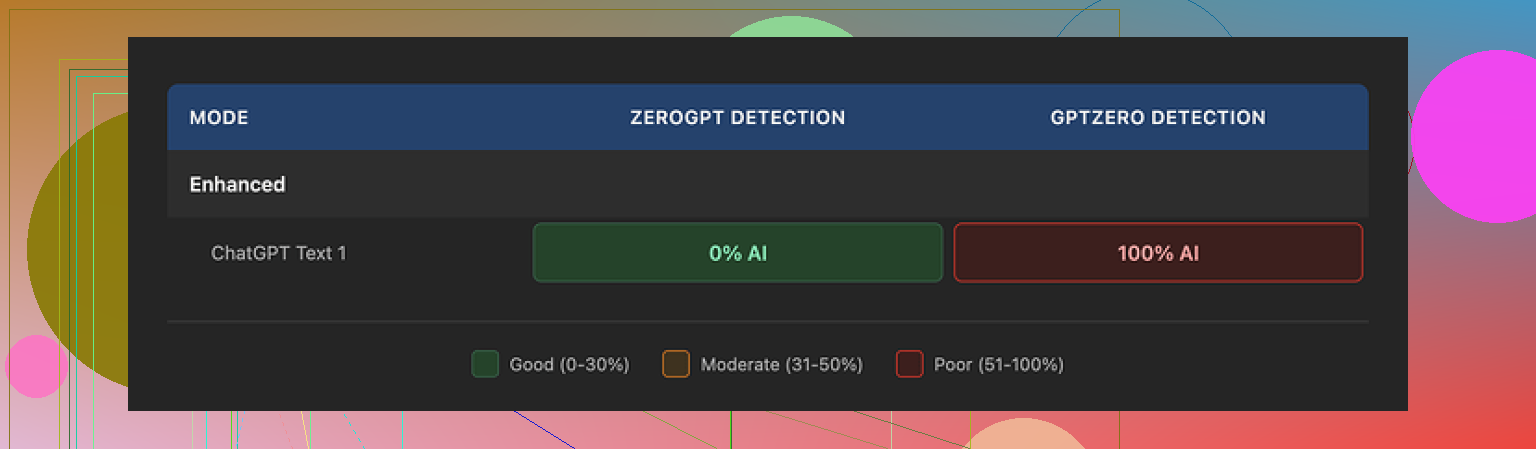
What I fed in was standard GPT-style text I know tends to get flagged. After running it through BypassGPT, I checked:
• ZeroGPT
Result: 0 percent AI. Passed completely. Looked great on that one tool.
• GPTZero
Result: 100 percent AI. Same output. Total fail.
So, two tools, same text, opposite verdicts.
Then I tried BypassGPT’s own built-in checker. It said the output passed all six detectors it claims to test against, with a perfect score. That did not line up with what I saw on GPTZero at all.
From my side, the built-in checker felt more like a marketing widget than something you should trust for serious use.
Writing quality
The text it produced read slightly better than raw GPT, but not by a lot. If I had to put a number on it, I would give it 6 out of 10.
Specific problems from my sample:
• First sentence was broken and clunky, like someone cut a piece out mid edit.
• It kept em dashes instead of smoothing them into cleaner punctuation, which is something many detectors pick up.
• Some phrasing felt stiff and “AI-ish”, with long, stacked clauses.
• There was a typo in the output. Not a stylistic “human” typo, more like it slipped through without any polish.
If you want something you can paste straight into an email or article, you would still need to edit it by hand.
Pricing and terms you should read twice
Paid plans at the time I checked:
• Around $6.40 per month if you pay annually, with a 5,000 word allowance
• Around $15.20 per month for an unlimited plan
The part that made me pause was not the pricing. It was the terms of service.
Their terms give BypassGPT very broad rights over whatever you paste in. That includes rights to reproduce your text, distribute it, and create derivative works from it.
So if you put in client documents, unpublished drafts, or anything sensitive, you are essentially giving them permission to re-use it in ways you might not like later. For personal or confidential work, that feels risky.
Comparison with Clever AI Humanizer
During the same session, I tested Clever AI Humanizer with the same kind of inputs. Full disclosure, the longer tests happened there because it does not clamp you so hard on the free tier.
Link to their detailed detection proof post:
My experience with Clever AI Humanizer:
• Outputs looked more like something a tired but real person would write. Less robotic structure.
• It scored better across multiple detectors I checked, not only one.
• It is free to use, with no tiny monthly word bucket to babysit.
Because of the strict limits, I never felt I got a fair shot at stress-testing BypassGPT across many domains or longer texts. Every attempt felt like trying to run benchmarks on a laptop with 1 percent battery.
Who might still bother with BypassGPT
If you are curious and have a VPN handy, you might want to poke it, but I would not plan a workflow around it:
• The free tier is too small for real testing.
• The detection claims do not line up with independent tools.
• Output quality sits in “needs editing” territory.
• The content rights language in the terms looks aggressive.
If you need an AI humanizer right now and do not want to pay or hand over rights to your text, I had a much smoother time with Clever AI Humanizer.
1 Like
Short answer from my side, BypassGPT is ok for playing around, not great for serious work.
Adding to what @mikeappsreviewer said, here is how I would break it down from a practical, “will this help you get work done” angle.
- Reliability for everyday and work use
• Word limits make it hard to use in real workflows.
If you write emails, blog posts, reports, school papers, that tiny free quota gets in your way fast. You spend more time cutting text than doing work.
• Output style still feels AI-ish.
The tool changes structure a bit, adds some errors, shifts wording.
It helps with some detectors, but if a human reads it, they often still feel the pattern.
For client work or graded assignments, that risk sits on you, not on the tool.
• Detection is inconsistent.
Same output, different detectors, opposite results.
If your job or school has one specific detector, you would need to test against that one, not rely on their internal “passed 6 tools” badge.
From a risk angle, that badge does not mean much.
- Safety and privacy
This is the part that would worry me for work projects.
• Their terms give them wide rights over what you paste in.
That includes reuse and derivative works.
For anything under NDA, internal docs, unpublished reports, or client copy, I would avoid it.
• There is no strong signal of strict privacy controls or data handling details.
If your company has compliance rules, you will have a hard time justifying it.
If you want something for work, you need at least clear terms, clear data handling, and the option to delete data. BypassGPT does not look strong in that area from what people have reported.
- Quality of writing
From samples I have seen and tested:
• Grammar is mostly fine, but flow is off.
• It often keeps long chains of clauses that look like standard LLM text.
• It throws in occasional odd phrasing that feels more like a glitch than a human quirk.
So you still need to edit a lot. If you plan to spend time editing, then running it through a heavy “humanizer” stage does not save much effort.
- Use cases where it might be ok
If you
• only need to tweak short snippets
• do not care about privacy for that content
• accept that detectors might still flag the text
then it is a toy you can try on a disposable email and VPN. I would not anchor a workflow on it.
- Alternative to look at
Since you asked about reliability and safety, you might want to test Clever Ai Humanizer instead. It has
• looser free limits, so you can run longer samples
• more natural looking outputs in most tests I have seen
• better performance across more than one detector in independent checks
That does not mean it is magic or risk free, you still need to edit and you still take the risk with detectors, but for practical day to day use, a lot of people find it more usable than BypassGPT.
- Recommendation if you care about work projects
If you do professional or school work
• avoid pasting sensitive or identifying content into BypassGPT
• do not trust their internal detector widget for high stakes tasks
• treat any AI humanizer as a helper, not a shield
• keep a strong manual edit step, especially for tone and structure
If you want to experiment, fine, but for anything that matters to your job or grades, BypassGPT feels like a weak link.
Short version: I’d treat BypassGPT as a curiosity, not a core tool for work or school.
I agree with a lot of what @mikeappsreviewer and @espritlibre saw, but I’ll push back on one thing: in very specific, low‑stakes situations, it’s not totally useless.
Here’s how I’d slice it from a practical angle:
- Reliability for everyday / work stuff
- If your “everyday” use is short snippets (social captions, tiny email tweaks, a short paragraph you want to roughen up), it can technically do the job.
- But once you start thinking in full blog posts, reports, client decks, you immediately slam into the word limits or start copy‑pasting in little chunks, which is just… inefficient.
- Also, any tool that sells itself as an “AI detector bypass” should never be the backbone of professional workflows. Your boss or professor cares about the final text and policy, not which tool “passed 6 checkers.”
- AI detection reality check
- Detectors contradict each other all the time. Seeing one say “0% AI” and another say “100% AI” is not actually that surprising.
- Where I disagree slightly with the others: this is not only a BypassGPT issue. It is a sign that AI detection itself is noisy and unreliable.
- So if your main reason to use BypassGPT is “I want to be 100% safe from detection,” that goal is already impossible. No humanizer, no model, no prompt trick gives you a guarantee.
- Safety and privacy
- This is the big red flag for any real work.
- Broad reuse rights over your input text is exactly what you do NOT want if you deal with:
- client drafts
- academic work that is not published yet
- internal corporate docs
- Even if they never actually misuse it, the possibility can already violate company policy or NDAs. That alone makes it a non‑starter for a lot of professional use cases.
- Writing quality in real life use
- The output is not terrible, but it is not something you can trust blind. You still have to:
- fix weird sentence breaks
- shorten clunky chains of clauses
- remove the “AI glow” from repetitive structures
- At that point, you might be better off:
- using a standard LLM, then editing carefully
- or writing the first draft yourself and using AI only for tightening and clarity
- Where BypassGPT might be OK
If you:
- are playing around with non‑sensitive text
- only need to touch 1–2 short paragraphs at a time
- do not rely on “it passed 6 tools” as legal or academic protection
then sure, it is a toy you can poke. Just treat it as disposable, not foundational.
- Alternatives and what actually helps
You already saw Clever Ai Humanizer mentioned by others. I’d say:
- It is worth testing if you absolutely want an “AI humanizer” in your stack.
- The main practical upsides people report are: looser free limits, more natural‑ish style, and better performance across several detectors.
- Still, same rule: no humanizer is a shield. You still need to edit, and you still carry the risk if your org bans AI‑generated content.
- If your goal is “safe for work projects”
My honest recommendation:
- Use a reputable LLM that has clear privacy terms and data controls.
- Keep anything sensitive on tools that offer enterprise or strong privacy guarantees.
- Treat “AI detection bypass” services like BypassGPT as experimental side tools, not as a compliance solution.
So, reliable and safe for everyday / work?
- Everyday casual text: maybe, if you are not dealing with anything sensitive and you do not mind editing.
- Work projects that actually matter: no, the combo of data rights, shaky detector value, and clunky workflow makes it a weak link.