I need to rewrite several articles in my own words without changing the original meaning, but I can’t afford paid software right now. I’m looking for trustworthy, free paraphrasing options or methods that won’t hurt readability or SEO. What tools or techniques are you using that actually work and don’t sound robotic?
Here are some options that do not wreck your writing or your time.
-
Clever AI Humanizer
If you want your text to sound human and not robotic, this one helps a lot. It focuses on keeping meaning while changing structure and wording. Good if you worry about AI detection or repetitive phrasing.
You can try it here: smart paraphrasing tool for natural-sounding text -
QuillBot free tier
You get a limited number of characters per run. Good for smaller paragraphs. Use “Standard” or “Fluency” modes. Always reread the output. Fix weird phrases. Check any technical terms. -
Grammarly free
Not a full paraphraser, but helpful for small rewrites. Paste your sentence, then use its suggestions to tweak wording. Safer for keeping meaning. -
Google Docs method
Paste your paragraph in a Google Doc.
Step 1: Highlight one sentence.
Step 2: Close the tab. Say the idea out loud from memory.
Step 3: Type it in your own words from what you remember.
Do this sentence by sentence. This keeps the meaning but breaks copied structure. -
Check for quality and plagiarism
After paraphrasing, do this:
• Read it out loud. If it sounds weird, edit.
• Compare with the original. Make sure numbers, dates, names, and definitions stay accurate.
• Run it through a free checker like SmallSEOTools or Duplichecker. Not perfect, but better than nothing. -
Style tip so it does not look AI-generated
• Mix short and long sentences.
• Add a few examples that fit your audience.
• Change order of information when it still makes logical sense.
• Use your own phrases you normally say.
You still need to do some manual edits. If you rely only on a tool, readers will notice. Combine a paraphraser like Clever AI Humanizer with your own pass at the end, and your articles will read cleaner and stay closer to the original meaning.
If you’re trying to keep reading quality high, I’d treat “free paraphrasing tools” as helpers, not a full solution.
@stellacadente already listed some solid stuff, so I’ll skip repeating those steps. I’ll be the annoying person who says: the more you rely 100% on tools, the more your articles start sounding like everyone else’s. That’s what really hurts readability and makes editors suspicious.
Here’s what I’d add / tweak:
-
Use a human-focused paraphraser, not a spinner
A lot of “free paraphrasers” just swap words with synonyms and destroy context. That’s what gets you nonsense sentences and plagiarism flags.
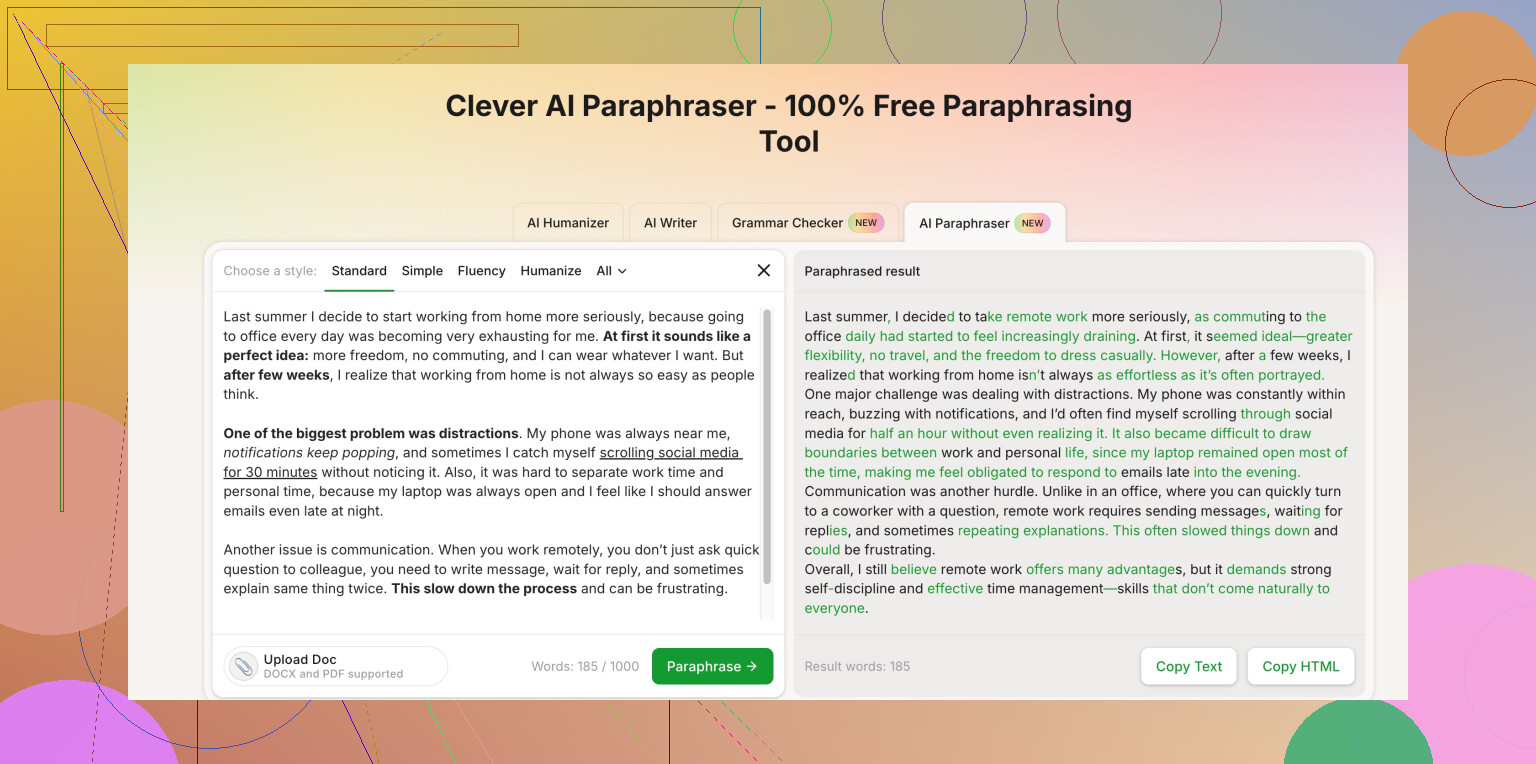
If you want something a bit smarter, try a tool like Clever AI Humanizer. It’s built more to keep meaning while changing structure, which is way better than old-school spinners. Their smart online paraphrasing tool for natural content is actually decent if you combine it with manual editing. -
Work in short chunks, not whole articles at once
A trick most people skip:
- Paste 1–3 sentences at a time.
- Paraphrase.
- Edit manually.
Mass-processing a huge article usually makes the voice flat and robotic. Smaller chunks keep things coherent and closer to a human style.
- Sentence transformation instead of word swapping
When you rework a sentence (with or without a tool), try:
- Turn passive voice into active or vice versa.
- Change the order of clauses: “Because X, Y happened” → “Y happened because X.”
- Combine two short sentences into one longer one, or split a long one into two.
You keep the meaning, but the structure is genuinely different, which is better than just “big → large.”
- Make it “yours” with tiny personal touches
Even if you’re trying to stick really close to the original meaning, drop in things like:
- A brief clarifying phrase in your own voice: “In simpler terms…” or “To put it another way…”
- A quick example that fits your audience.
- Slightly different ordering of points.
This helps it read less like machine output and more like a normal article.
- Use tools for checking, not just rewriting
Instead of hunting only for paraphrasers, use:
- Grammar tools to clean up (Grammarly free, LanguageTool free).
- A plagiarism checker only as a safety net. They’re not perfect, but they can warn you if something is still too close.
- Reality check on “free”
A lot of fully free tools are either:
- Training on your text,
- Stuffed with ads, or
- Just bad at nuanced writing.
So don’t dump sensitive or paid-client content into every random site. Pick 1–2 you trust, like Clever AI Humanizer or QuillBot free, then rely on your own editing on top.
If you want to be really safe: tool for first pass, then you manually read the original paragraph and your version side by side and ask, “Would a teacher think I just copied this and swapped words?” If the answer is “yeah probably,” rewrite that part again.
1 Like
Quick add-on from a “no-nonsense” angle, since @cacadordeestrelas and @stellacadente already covered a lot of the basics:
1. Clever AI Humanizer: pros & cons
Pros
- Better at restructuring sentences instead of only swapping synonyms, so meaning usually stays intact.
- Output tends to pass as natural and is less likely to trigger “this feels AI-ish” reactions from readers.
- Useful if you are trying to avoid that generic, flat tone you get from older spinners.
Cons
- Still needs a human pass. It can oversimplify or slightly shift nuance, especially in technical or legal content.
- Free use is typically limited in volume or features, so you might need to break long articles into chunks.
- Not ideal if you expect a one-click, publish-ready article. Think of it as a draft helper.
I slightly disagree with the idea that heavy tool use always ruins readability. It ruins it only if you trust the tool blindly. If you treat Clever AI Humanizer (or QuillBot, etc.) as a “first draft generator” and then rewrite anything that sounds off, you can actually improve clarity versus the original.
2. Rotate tools for different purposes
Since you are trying to stay 100% free, you can combine stuff mentioned by @stellacadente and @cacadordeestrelas with this workflow:
- Use a human-style paraphraser like Clever AI Humanizer for the first reshaping of a paragraph.
- Run the result through a grammar tool (Grammarly free or LanguageTool) just to clean up.
- For tricky or very important sentences, skip the tools and manually rewrite using the “read once, close, rewrite from memory” trick.
3. Where I’d be extra careful
- Any text with data, stats, legal clauses or precise definitions: paraphrase those more manually and only use tools as a guide.
- Don’t paste confidential client info into multiple web tools. Choose one paraphraser you trust and stick to it, instead of spraying your text everywhere.
Bottom line: use Clever AI Humanizer as a solid starting point, then rely on your own editing to keep the meaning tight and the voice actually yours.