My iPhone started lagging, opening apps slowly, and draining battery right after the latest iOS update. I’m not sure if this is normal background processing or if something went wrong, and I need help figuring out how long it usually takes to speed back up and what I can do to fix it.
I hit this on my iPhone right after an iOS update. One day everything felt normal, next day apps were hitching, the keyboard paused mid-word, scrolling looked broken. It felt worse than it was. In my case, it was not hardware, and I did not need a full erase.
Give the update a little time first
If the slowdown started right after installing iOS, I would wait 48 to 72 hours before poking at random settings. The phone does a pile of cleanup after a major update. It reindexes photos, rebuilds app data, and rewrites system caches. All of it runs in the background while you are trying to use the phone.
What helped me was keeping it on Wi-Fi and charging overnight for two or three nights. Performance improved on its own once those background jobs finished. If you are still stuck after a week, I would stop blaming the update.
Why older apps suddenly feel bad
I saw two common causes.
First, apps lag after iOS updates when the apps themselves have not been patched yet. Developers usually push fixes fast, so opening the App Store and hitting Update All is the first thing I would do. One outdated app can drag the whole phone down and make it look like iOS is the problem.
Second, low storage makes everything worse. iPhones lean on internal storage for temporary working space during multitasking. When free space gets squeezed, apps start tripping over each other.
Battery health over 80% does not rule this in or out
This part throws people off. If battery health is above 80 percent, iOS is not doing the usual battery-related performance throttling. So if your phone still feels slow, I would look somewhere else.
For me, storage was the real issue. iOS seems to need around 10 to 15 percent of total space free or things start getting weird. I saw all the classic symptoms, laggy apps, delayed typing, jerky scrolling, random pauses. The phone was short on room to make temp files, so normal stuff started breaking down.
Why calls still work when the rest of the phone feels cooked
I noticed my calls were still fine while Safari, camera, and apps were dragging. There is a reason. Calls use a separate baseband chip, so they are less tied to the same storage and CPU pressure hitting the rest of the phone.
So if calls still sound normal and connect fast while apps crawl, I would take that as a sign the issue is software, storage, or heat, not some dying internal part.
What fixed it for me
I tried the usual low-effort stuff first. Restart. Network settings reset. Background App Refresh off. Barely moved the needle.
The thing that changed it was clearing storage the right way. On my phone, photos were the main problem, not installed apps.
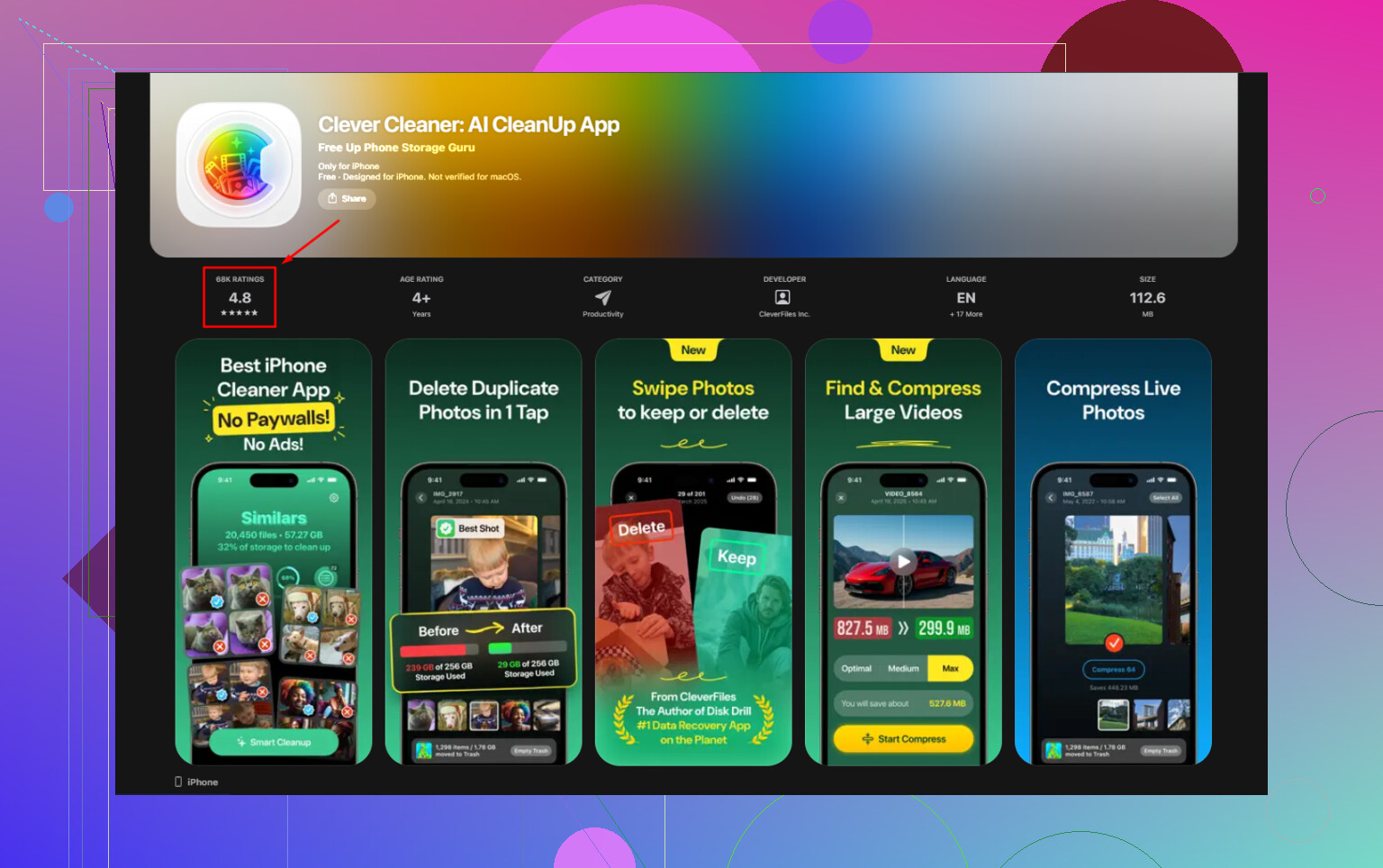
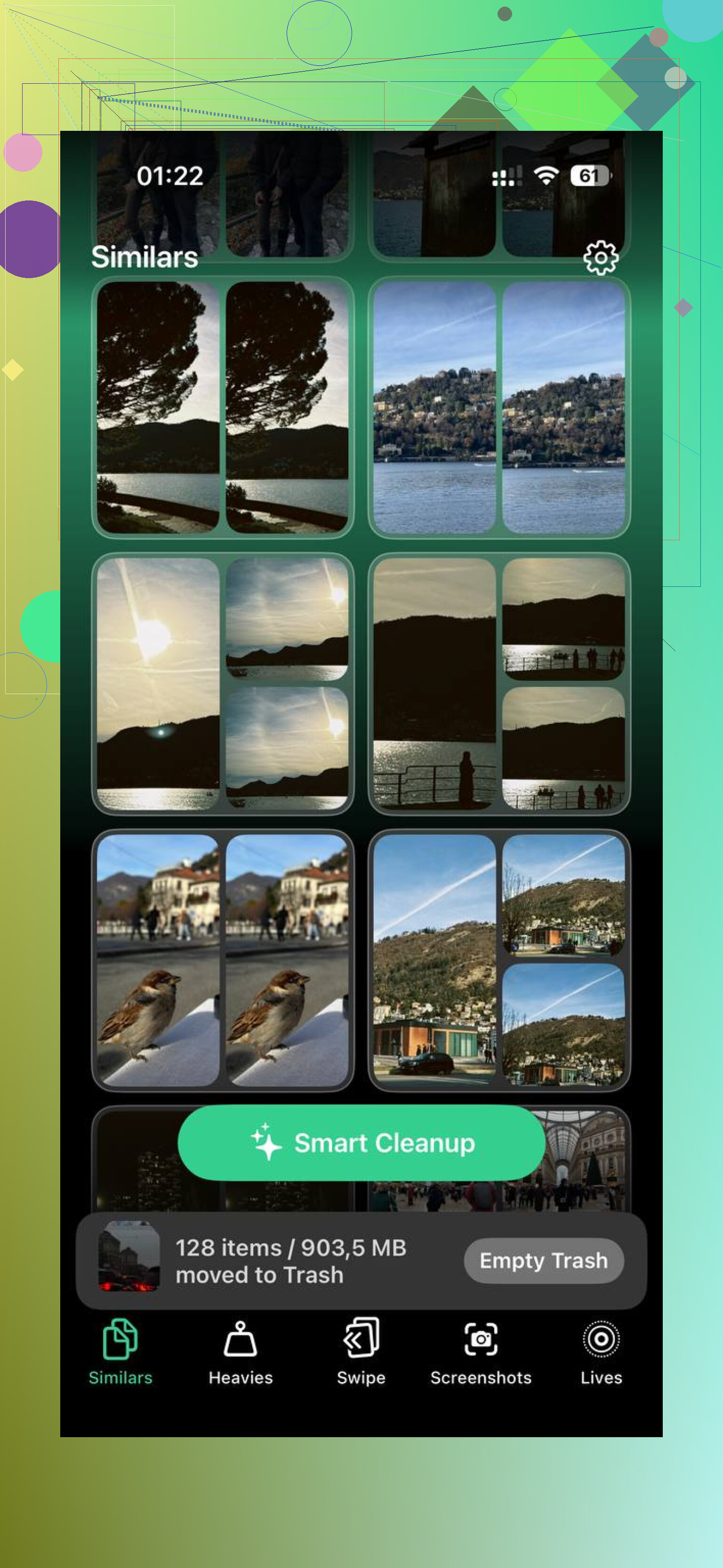
I used Clever Cleaner. The useful part for me was how fast it exposed the largest files. The Heavies section showed the biggest storage hogs first, and the Similars section grouped near-duplicate photos, burst shots, and multiple takes of the same thing. It picked a best shot in each group, which saved me from sorting hundreds of pics by hand.
I cleared about 15GB. Then I went into Photos and emptied Recently Deleted. This part matters more than people think. If you skip it, deleted photos still sit there for 30 days and your storage numbers barely change. Go to Albums, Recently Deleted, Delete All.
After I did both steps, the lag was gone.
If your phone is still dragging after cleanup
A few things are worth checking.
If the phone feels warm, stop testing it for a bit. iPhones slow the processor when they get hot. I took the case off, left it alone for 20 minutes, and got a better read on real performance after it cooled down.
Reduce Motion helped too. Go to Settings, Accessibility, Motion, then turn on Reduce Motion. It cuts the visual transitions, so the phone feels quicker even if the raw speed did not change much.
Also check Low Power Mode. If you leave it on all the time, that alone can make the phone feel sluggish because it cuts performance on purpose.
If a week has passed, storage is fine, apps are updated, the phone is cool, and it is still lagging, I would try Reset All Settings. You will find it under Settings, General, Transfer or Reset iPhone. It does not wipe your apps or photos. It resets system settings, and weird lag sometimes disappears after doing it.
Short version, if your iPhone got slow out of nowhere after an update, I would look at background indexing first, then app updates, then free storage. In my case, storage was the whole story.
1 Like
48 to 72 hours is the normal window. Sometimes 5 to 7 days on older iPhones or big iOS jumps. If it is still laggy after a week, I would stop waiting for it to fix itself.
I agree with @mikeappsreviewer on the timing, but I disagree a bit on sitting back too long. If your battery is draining fast on day 1 or 2, check two things early.
First, look at Settings, Battery. If one app is eating 30 percent to 50 percent in the background, the update exposed a bad app, not iOS alone. Delete and reinstall it.
Second, check Settings, Privacy & Security, Location Services. After updates, some apps start polling location harder than they should. Set junk apps to While Using or Off.
Also, watch for iCloud sync stalls. Photos syncing 20k items will make a phone feel broken for days. Open Photos and see if sync is still running. Same with Messages in iCloud.
A forced restart is worth trying. It is fast and fixes weird post-update hangs more often than people admit.
If storage is tight, yeah, clean it up. Clever Cleaner is fine for finding big files and duplicate photos. If you want a quick look at how iPhone cleaner apps stack up, this video breaks down the best iPhone cleaner apps and how they compare, best iPhone cleaner apps compared.
My rule, 3 days, normal. 7 days, not normal. At taht point, update apps, remove problem apps, check battery stats, and restart. If none of taht helps, back up and reinstall iOS.
I’d put the “normal” window at about 2 to 4 days, maybe 5 on an older iPhone, but I kinda disagree with waiting a full week doing nothing like @mikeappsreviewer suggests. If the phone is still hot all the time, stuttering on basic stuff, and losing battery overnight by day 3, that’s not just harmless post-update cleanup anymore.
One thing I’d check that neither @mikeappsreviewer nor @viaggiatoresolare really leaned on is your analytics logs. Go to Settings > Privacy & Security > Analytics & Improvements > Analytics Data. If you see the same app or process crashing over and over, that can absolutely tank performance after an iOS update. Same idea with a bad widget on the home screen. Remove extra widgets for a day and see if the lag drops. People forget widgets can be sneaky little battery vampires.
Also, if you use Mail with a bunch of accounts, especially Exchange or Gmail, disable Mail push temporarily and switch to fetch. I’ve seen that alone calm down battery drain after updates. VPN apps too. Same with accessibility features like Sound Recognition, which can hammer battery in the background.
My take:
- 24 to 72 hours: normal-ish
- 4 to 5 days: start troubleshooting
- 7 days: something is wrong, period
If storage is part of it, then yeah, Clever Cleaner is actually useful for spotting giant files and duplicate pics fast. That’s usually better than manually digging through Photos for 2 hrs like a caveman. There’s also a solid Reddit thread where iPhone users talk about what actually helped with cleanup and speed issues: see what iPhone users on Reddit say about Clever Cleaner.
So no, it should not stay like this forever. A little lag right after updating is normal. A week of it is defintely not.