I accidentally lost important files after a Windows drive issue, and now I need dependable disk recovery software that can safely recover data without making things worse. I’m looking for real recommendations for the best Windows disk recovery tool for deleted files and damaged drives.
I’ve run through a pile of recovery apps over the years, and the pattern is always the same. The sales page looks clean, calm, almost genius. Then you point it at a messy drive with missing folders, half-dead sectors, or a broken partition table, and the cracks show fast.
My short list ended up looking like this.
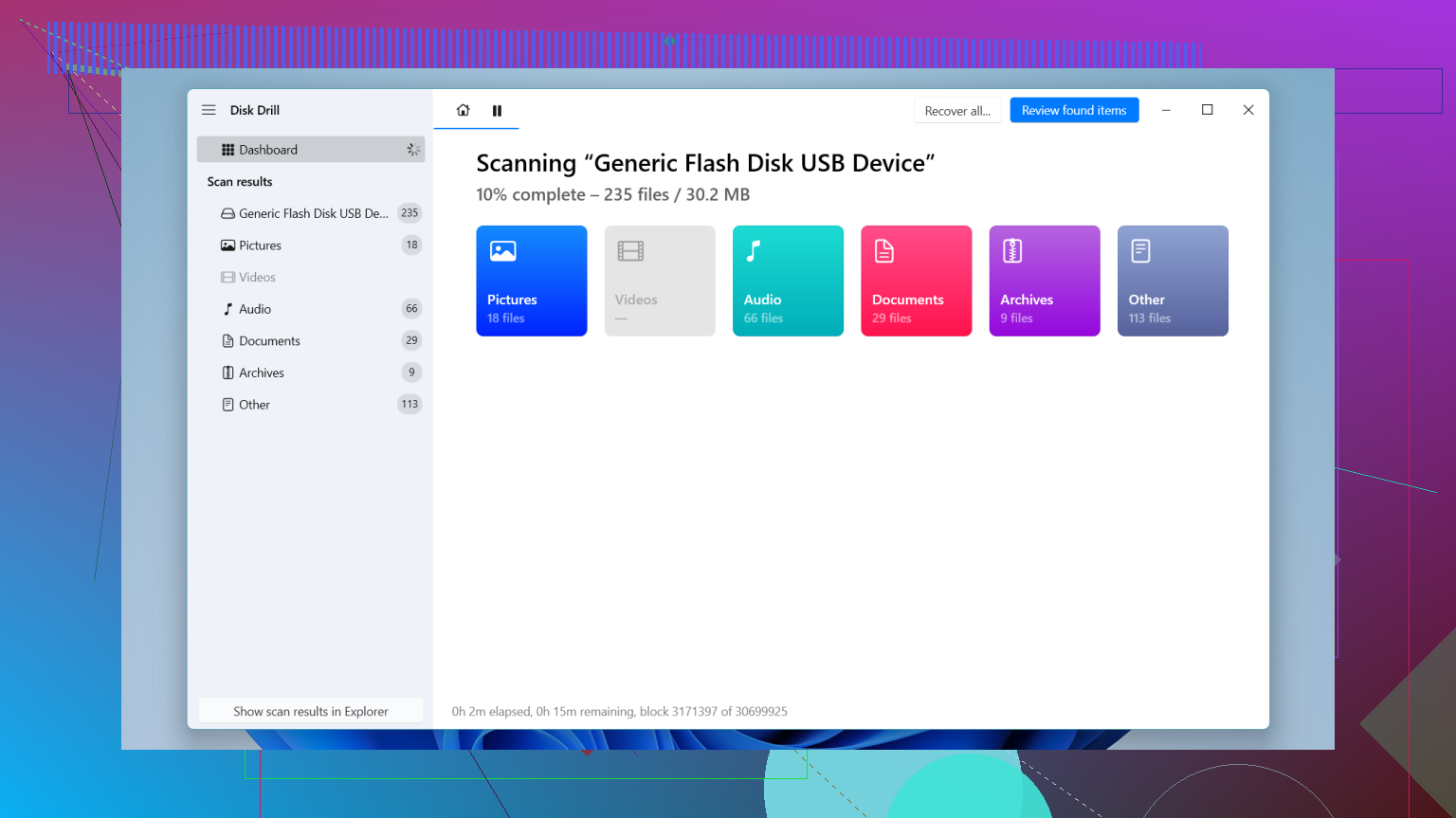
If you want one place to start, this is the one I’d pick first for most people. I kept coming back to it because it doesn’t dump a wall of storage jargon on you in the first minute. You open it, you see the drives, you scan, you sort results. It feels sane.
The part I rate highest is the byte-to-byte backup option. I learned the hard way not to keep hammering a shaky drive with repeat scans. If a disk starts dropping out, slowing to a crawl, or making me nervous, I’d rather clone it first and work from the image. Scanning the copy puts less stress on the original, and in some cases it keeps a bad situation from getting worse. On Windows, the free tier gives you up to 100 MB back, which is enough for a small ‘oh no’ moment like docs, a few pics, or one project folder.
- UFS Explorer
This one feels built for ugly cases. RAID sets, Linux formats, broken partitions, damaged file systems, odd storage layouts. I’ve seen it handle stuff simpler tools sort of shrug at.
I would not hand it to someone who wants a clean, obvious workflow. The interface leans technical. You need patience, and you need to read what you’re doing. If your case is rough and you already know your way around disks, file systems, and recovery steps, it earns its spot.
- DiskGenius
I don’t see people mention this one enough. It’s useful when the problem is tied to partitions, not only deleted files. RAW drives, vanished partitions, messed up tables, that sort of mess. Having partition work and file recovery in one app saved me time more than once.
It is busier than Disk Drill. No way around it. Menus feel packed, and the layout takes a bit of poking around. Still, for partition trouble, I’d keep it in reach. The free version hits limits, especially once the recovery gets bigger, but it’s worth a pass before spending money blind.
- Windows File Recovery
This is Microsoft’s own tool, and the price is nice. Free. Full stop.
The catch is the interface, if you even want to call it one. It runs in Command Prompt. For people who don’t live in terminals, it feels rough fast. I’d use it for straightforward deletions on NTFS, not for busted drives or large restore jobs. Still, if you want an official no-cost option and your case is simple, it does have a place.
A few things matter more than the app you pick.
Stop using the drive. Right now, if you haven’t already. Deleted files are often still sitting there until new data lands on top of them. I’ve seen people lose good recovery chances by downloading random tools, installing updates, moving files around, then trying recovery after the damage was done. Every write makes your odds worse.
Also, don’t install the recovery software onto the same drive you’re trying to save. I know, sounds obvious. People still do it. Use another internal disk, an external SSD, or even a USB stick if you’re stuck.
And one last thing people mix up all the time. Recovery software helps with logical damage. Deleted files. Broken file systems. Lost partitions. It does not fix hardware failure.
If your drive is clicking, grinding, beeping, disconnecting for no reason, getting hot, or not showing in BIOS or Disk Management, stop there. Don’t keep scanning it. Don’t keep rebooting and hoping. I’ve watched drives get worse from repeated power-ups. At that point, a recovery lab is the safer route. Expensive, yep. Still better than turning a salvageable disk into a dead one.
1 Like
If you want the safest first shot on Windows, I’d still put Disk Drill near the top. @mikeappsreviewer already covered some of why, so I’ll add where I disagree a bit. I don’t think Windows File Recovery is worth most people’s time unless the loss was simple and recent. Too easy to waste hours and get nowhere.
What I’d look at:
-
Disk Drill
Best fit if you want fast setup, clear scan results, and decent file previews. It handles deleted files, formatted partitions, and many common Windows drive issues without making you fight the interface. The recovery vault stuff is optional, but the main win is ease of use and image-based workfow if the drive looks unstable. -
R-Studio
Better than a lot of consumer tools when the file system is damaged hard. Strong on NTFS, exFAT, RAID too. Downside, the UI feels old and a bit brutal. -
Recuva
Still useful for simple deletes on healthy drives. Cheap, light, easy. Not my pick for damaged partitions.
One more thing. If SMART shows reallocated sectors climbing, or read speed drops under 20 to 30 MB/s with freezes, stop poking the disk. That’s where people make it worse.
If you want a quick explainer and a Disk Drill review with setup, scan, and recovery steps, this helps:
watch this Disk Drill recovery walkthrough for Windows
Save recovered files to a different drive. Always. Thats where a lot of ppl mess up.
I’d split this into 2 buckets, because people mix them up all the time:
1. “I deleted stuff / partition went weird / Windows says RAW”
Use recovery software.
2. “Drive is clicking, vanishing, freezing hard, or insanely slow”
Stop. Software can turn a bad drive into a worse one.
On actual software, I agree with parts of what @mikeappsreviewer and @cazadordeestrellas said, but I’m a little less high on Recuva for anything beyond easy-mode deletes. It’s fine, just not my first grab if the drive issue was more than “oops deleted a folder.”
My shortlist:
-
Disk Drill
Best all-around pick for normal ppl on Windows. Clean UI, solid deep scan, previews, and it doesn’t feel like you need a storage engineering degree to use it. The big reason I’d mention it here is safety: if the disk is unstable, working from a disk image is way smarter than repeatedly scanning the original. That alone makes Disk Drill recovery software worth a look. -
R-Studio
Strong tool, but honestly kinda ugly and more technical. Great when the filesystem is banged up. Less friendly. -
DMDE
This one doesn’t get mentioned enough. Very capable, especially for partition and file system weirdness, but the interface is… very 2006. Powerful, not comfy.
My slightly contrarian take: people obsess over “best recovery app” when the real make-or-break thing is what you do in the first 10 minutes. Don’t install recovery software on the damaged drive. Don’t save recovered files back to it either. And if SMART is showing errors, quit poking at it.
If you want more real-world discussion, this Facebook thread on Windows file recovery software recommendations is actually worth reading.
If it’s a standard Windows drive issue and not obvious hardware failure, I’d start with Disk Drill first. Simple, reliable, less chance of user error. Thats a bigger deal than ppl think.