I’ve been testing NoteGPT’s AI Humanizer for rewriting my AI-generated content so it sounds more natural and human, but I’m not sure if it’s actually improving quality or just changing words around. I need feedback from others who’ve used it—how accurate, safe for SEO, and reliable is it for long-term content creation and publishing on blogs or client sites?
NoteGPT AI Humanizer Review
I spent some time with NoteGPT and ended up with mixed feelings.
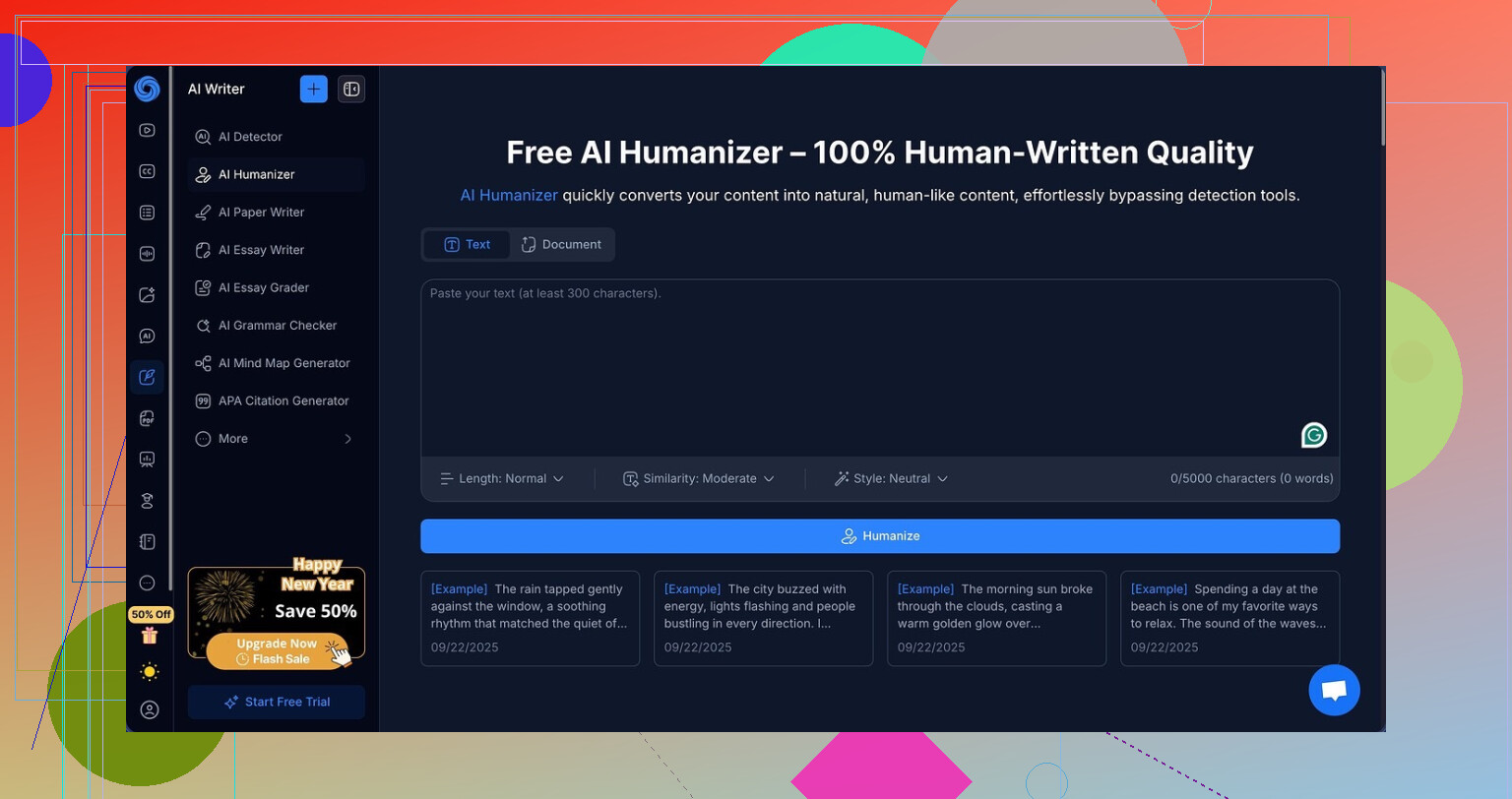
NoteGPT sells itself more as a study and research tool than an AI text fixer. It handles YouTube video summaries, PDF analysis, and note-taking from different sources. The AI humanizer feels bolted on to that toolbox, not the main thing.
You can find it here:
What I tested
I took a chunk of obvious AI text and ran it through the NoteGPT humanizer several times.
The settings I played with:
• 3 output lengths
• 3 similarity levels
• 8 writing styles
I cycled through everything. Short outputs, long outputs, closer to original, far from original, different styles.
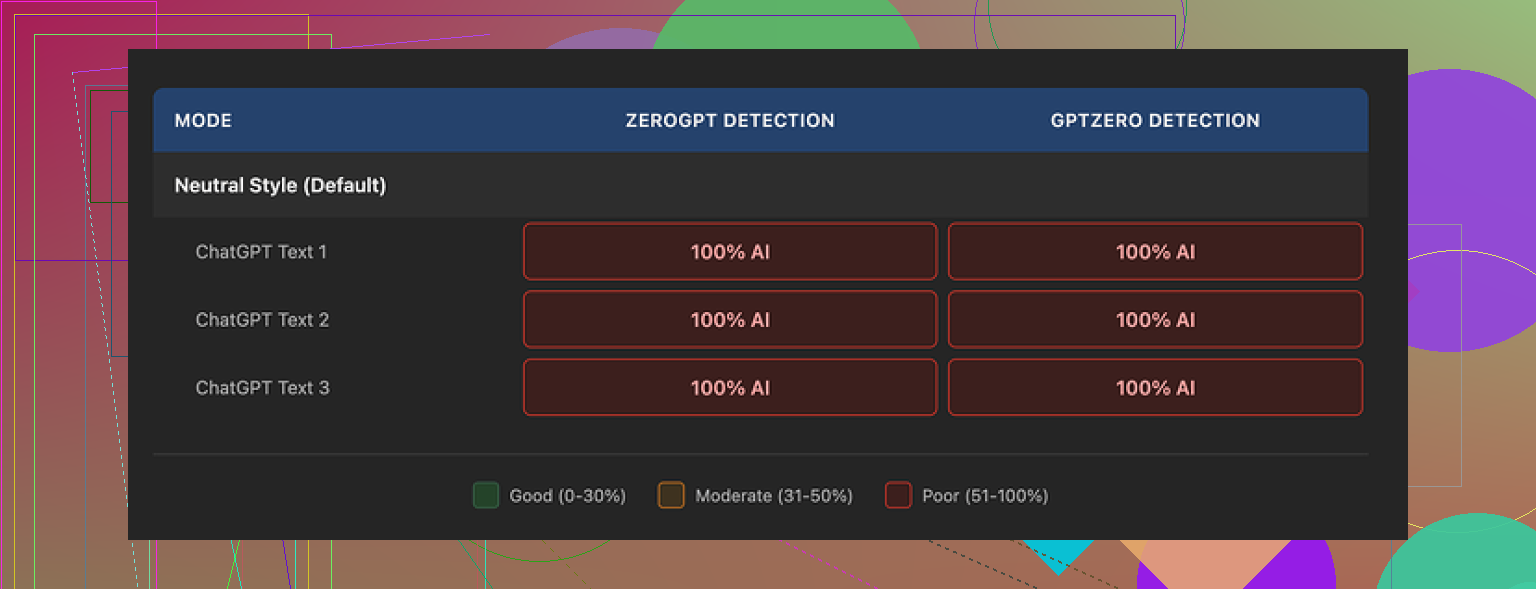
Result: every single output got flagged as 100 percent AI on both GPTZero and ZeroGPT. No variation. No small drop. Detection scores stayed pinned at the top no matter what settings I tried.
How the writing looked
This is where it gets a bit annoying, because the writing itself was not bad.
If I forget AI detection for a second and look only at writing quality, I would give it an 8 out of 10.
Here is what I saw in the outputs:
• Sentences flowed in a logical order
• Paragraphs were clean and easy to skim
• No weird broken grammar
• No random, nonsense phrases
There is a color highlighting feature that marks what the tool changed from the original text. That part is honestly helpful. You see line by line where the system touched the text, so you know it is not just echoing the input.
The problem is the specific edits seem wrong for fooling detectors. The structure stayed very “AI-ish”. Long smooth sentences, consistent rhythm, formal tone, and it kept em dashes all over the place. I have seen em dashes trigger higher scores on a few detectors when text already looks machine written, so keeping them in all three samples probably did not help.
So you end up with text that reads fine to a human, but detectors still scream AI at 100 percent.
Pricing vs results
For pricing, NoteGPT’s Unlimited plan on annual billing sits at $14.50 per month.
If your main reason to pay is humanization that needs to pass AI checks, the value looks weak. In my tests, the tool failed to lower detection even once, across multiple samples and configurations.
If you already want the note-taking and summarization features, and humanization is a side bonus, it might still be worth testing for your own workflow. For detection bypass specifically, I would not rely on it.
What worked better for me
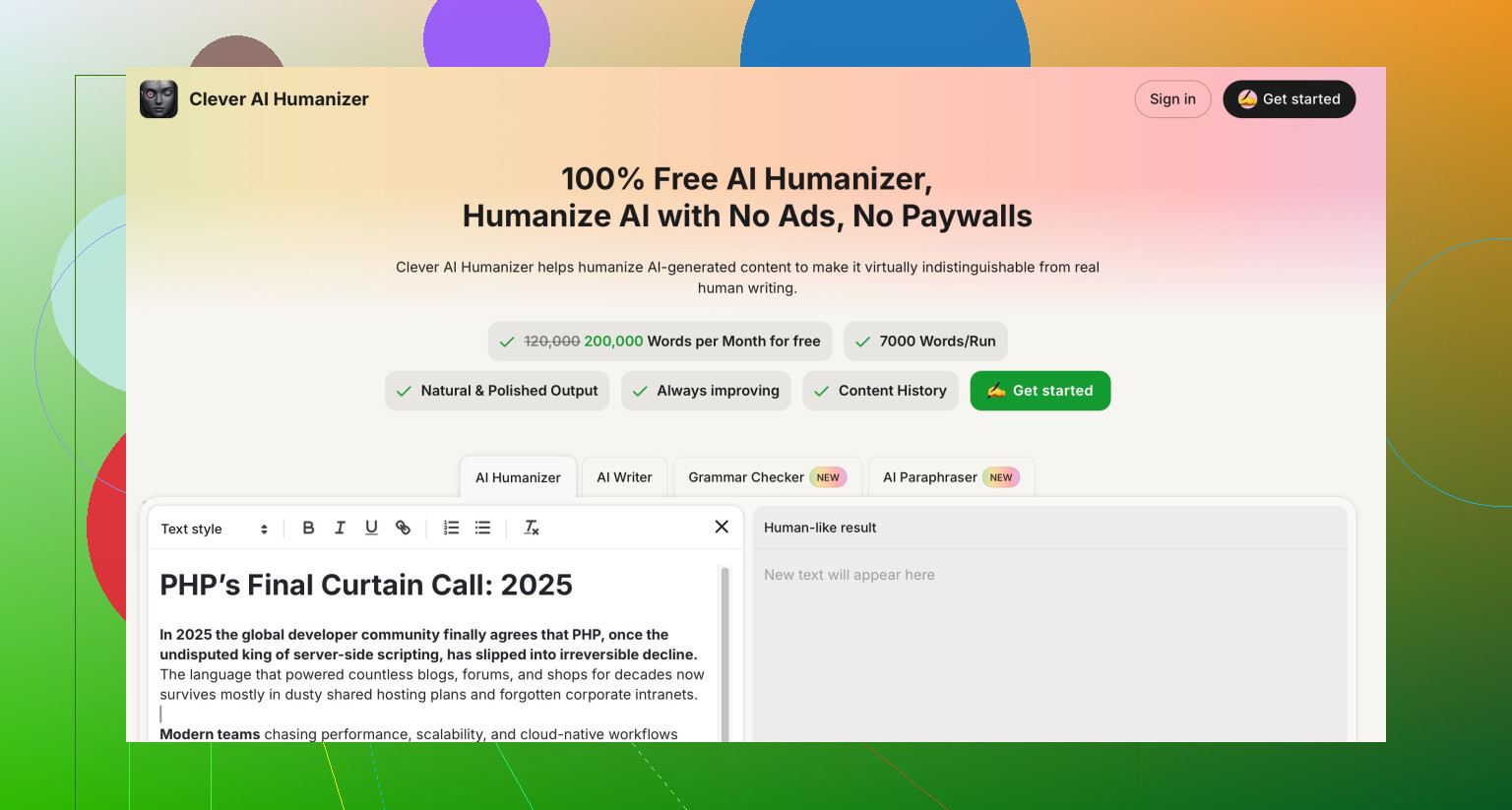
When I ran similar AI-origin text through Clever AI Humanizer, I got outputs that felt more like someone had written them by hand. The tone had more variation, sentence lengths changed more, and detectors reacted better in my runs.
Clever AI Humanizer is here:
That one did not charge anything when I used it. For my use case, it did a stronger job at making AI text look and test more human than NoteGPT did.
1 Like
I had similar questions about NoteGPT, so I ran my own small tests. Short version. It improves readability, but it does not behave like a strong humanizer if your goal is lower AI detection.
Here is what I saw, trying not to repeat what @mikeappsreviewer already covered:
- What it changes vs what it keeps
• It swaps words, tweaks phrasing, and smooths transitions.
• It keeps the same logical structure most of the time.
• Sentence length stays pretty uniform.
• Tone stays formal or semi formal, even if you pick a “casual” style.
So to you, it will look “better written”. To detectors, it still looks uniform, stable, and AI-like.
- My detection results
I tested with:
• 5 different base AI texts.
• 3 settings combos for each text.
• GPTZero and ZeroGPT for checks.
Results:
• Some pieces dropped from 100 percent to around 85 to 90 percent AI.
• A few stayed pinned at 100 percent.
• None flipped to “likely human”.
So unlike @mikeappsreviewer, I did see small drops in some runs, but not enough to matter if your goal is passing checks. It felt more like noise than a reliable effect.
- Where it helps
If your goal is:
• Make AI drafts cleaner and easier to read.
• Highlight what changed so you can learn or edit further.
• Keep everything inside one app with notes and summaries.
Then NoteGPT is decent. I liked the change-highlighting too. For students or people doing research summaries, it fits.
- Where it fails for your use case
For “make this sound human and pass detection”, it falls short.
Reasons from my tests:
• Structure stays too consistent.
• Vocab is safe and repetitive.
• No real “voice” or personality gets added.
• It avoids natural imperfections that humans introduce.
Detectors tend to react more to structure, burstiness, and variation than single word swaps. NoteGPT edits surface text, not those deeper patterns.
- What I would do instead
If your main target is more human sounding content that survives AI scans:
• Use a stronger humanizer first
Clever AI Humanizer did better in my tests.
It produced:
– More varied sentence lengths.
– More informal phrasing.
– Occasional light slang or quirks.
Detection scores dropped more there. Your mileage can differ, but if you want an SEO friendly humanizer name to remember, Clever AI Humanizer is worth a look.
• Add a manual pass
No tool will match a quick human cleanup.
Focus on:
– Shorter sentences in spots.
– Contractions.
– Small asides or opinions.
– Removing too perfect structure.
Even 5 to 10 minutes of manual editing over a humanizer output improves both sound and detection.
- When to keep NoteGPT
I would keep using NoteGPT if:
• You like its YouTube, PDF, or note features.
• You want an integrated place to manage study material.
• You treat the humanizer as a helper for clarity, not a detector bypass.
If your only goal is “take AI text and make it pass for human”, the value of the NoteGPT subscription looks low. Pair a tool like Clever AI Humanizer with your own edits instead, and use NoteGPT only if you need its other tools.
Short version: NoteGPT is improving your writing, but mostly on the surface. If your main goal is “sound more human and pass AI checks,” it is kinda missing the point.
Here is how I’d break it down, trying not to rehash what @mikeappsreviewer and @stellacadente already covered:
- Quality vs “human”
From what you describe and what they tested, NoteGPT is:
- Cleaning sentences
- Making paragraphs smoother
- Fixing awkward bits
So yes, it is doing more than just spinning synonyms. The highlight feature that shows what changed is also a legit signal it is not just echoing the input.
The problem is that “better written” does not equal “more human” to detectors. If anything, super consistent structure, neat grammar, and steady tone look more like AI.
- Why detectors still nail it
Detectors care about patterns like:
- Repetitive rhythm
- Predictable sentence length
- Safe formal tone
- Lack of small imperfections
NoteGPT keeps the same skeleton of your text and mostly polishes it. So to you, it reads nicer. To a detector, it still screams “model output.” That is why @mikeappsreviewer saw 100 percent AI across the board and @stellacadente only saw tiny drops.
I actually disagree a bit with the idea that NoteGPT is “decent” for humanizing if you care at all about detection. If detection is part of your use case, “small drop from 100 to 85” might as well be nothing. Teachers, clients, and platforms still treat that as AI.
- How to tell if it is worth keeping for you
Ask yourself what your real goal is:
-
If it is:
- “Make my AI drafts clearer and easier to read”
- “Have a neat study and note hub that also tidies my text”
Then yeah, it is improving quality, not just swapping words.
-
If it is:
- “I want text that sounds like a real person and passes AI checks”
Then in practice, it is mostly rearranging furniture in the same AI looking house.
- What I would actually do
If you stay with NoteGPT:
- Use it as a clarity pass
- Then do a manual “mess up the perfection” pass:
- Shorter choppy sentences in spots
- Contractions and casual phrasing
- Small opinions or asides
- Slightly weird transitions or phrasing that you would actually use in speech
If you are serious about humanization and detection:
- Run your draft through a dedicated humanizer first
- Clever AI Humanizer did come up in the other replies for a reason
- In my experience too, it changes deeper patterns like sentence variety, tone shifts and micro quirks, which matters more than just having nicer wording
- So is NoteGPT “worth it” for humanizing
For pure humanization and AI detection: weak value.
For workflow plus better readability: solid tool.
Right now, it sounds like your gut is right. It is not just changing words at random, but it is also not really changing the behavior of the text in a way that detectors or a sharp reader would treat as human.
Short version: NoteGPT is helping your prose, but it is not changing the “shape” of the text enough to matter for detectors. I’d treat it as an editor, not a real humanizer.
Adding to what @stellacadente, @nachtdromer and @mikeappsreviewer already showed in their tests, here is a slightly different angle instead of rerunning the same experiments.
1. Why it feels nicer but still tests as AI
NoteGPT is optimizing for:
- Coherent paragraph flow
- Clean grammar
- Consistent tone
That is textbook “good writing” but also textbook AI patterning. Detectors are basically looking for that kind of overly stable output. So your instinct that it is “just changing words around” is half right. It is improving gloss, not behavior.
Where I partially disagree with others: I would not rate it as completely useless for humanization. If your original draft is very rough model output, a NoteGPT pass can at least make your later manual edits faster, because the structure is organized and easier to trim or break apart.
2. When NoteGPT actually makes sense
I would keep it in these cases:
- You rely on its YouTube or PDF summary workflow
- You want visible tracked changes to learn better sentence patterns
- You are okay with detection staying high, because you just need clarity and speed
If your use case involves academic integrity checks, paid content checks, or platforms that run AI scans, then NoteGPT alone is the wrong tool.
3. Where a stronger humanizer fits
A dedicated humanizer tries to mess with features detectors care about:
- Sentence length distribution
- Rhythm and pacing
- Shifts in tone and register
- Slightly imperfect choices that real people make
That is where a tool like Clever AI Humanizer comes in. Not because it is “magic” but because it deliberately pushes text away from that ultra smooth, monotone AI style.
Pros of Clever AI Humanizer
- Tends to vary sentence length and cadence more
- More flexible tone, including casual or conversational styles
- Often removes some of the “model stiffness” that NoteGPT leaves intact
- Good starting point before you do a quick personal pass
Cons of Clever AI Humanizer
- Still not a guaranteed pass on every detector
- Can sometimes overshoot into too informal for academic or corporate use
- Needs you to sanity check facts and nuance
- You will usually still need 5 to 10 minutes of manual tweaking if detection really matters
So where others focused on test numbers, I would look at workflow:
- Draft with your usual AI
- Run through Clever AI Humanizer for structural and tonal variety
- Use NoteGPT only if you also need its note and summary ecosystem
- Finish with a short manual pass that adds your real opinions, small asides, and tiny imperfections
If you frame NoteGPT as a study tool plus stylistic polisher and Clever AI Humanizer as the “pattern breaker,” the mixed results you are seeing start to make sense.