I used an AI humanizer tool to try and pass an Originality AI scan, but my content is still being flagged as AI-generated. I’m not sure what I’m doing wrong or how to adjust the text so it looks more natural without losing my original meaning. Can anyone explain how these humanizers really work, and share tips or best practices to get better results with Originality AI while staying honest and safe?
Originality AI Humanizer review, from someone who banged on it way too long
Originality AI Humanizer Review
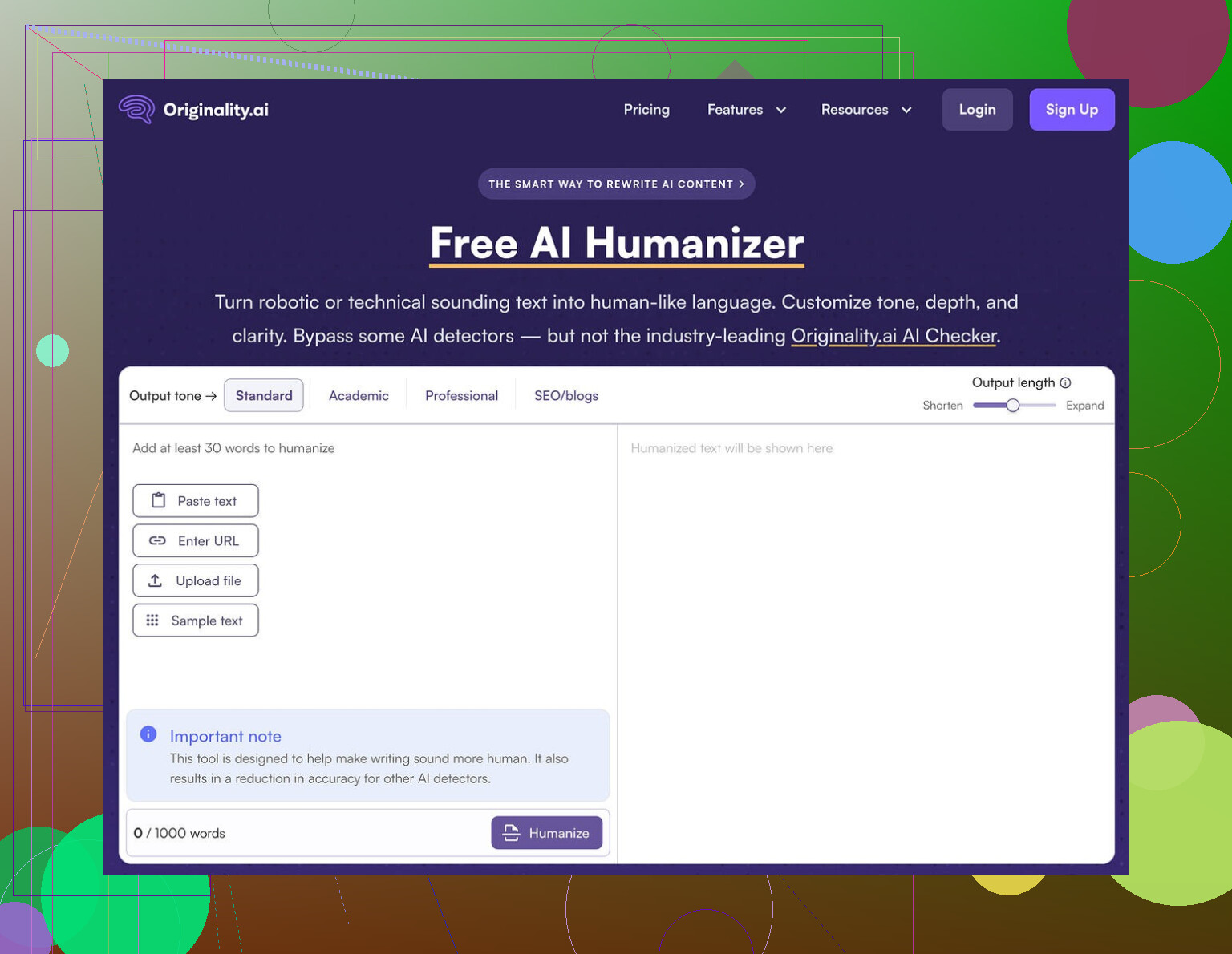
I went into this one expecting at least decent results. Originality is known for its AI detector, so I figured their humanizer would have some tricks. It did not.
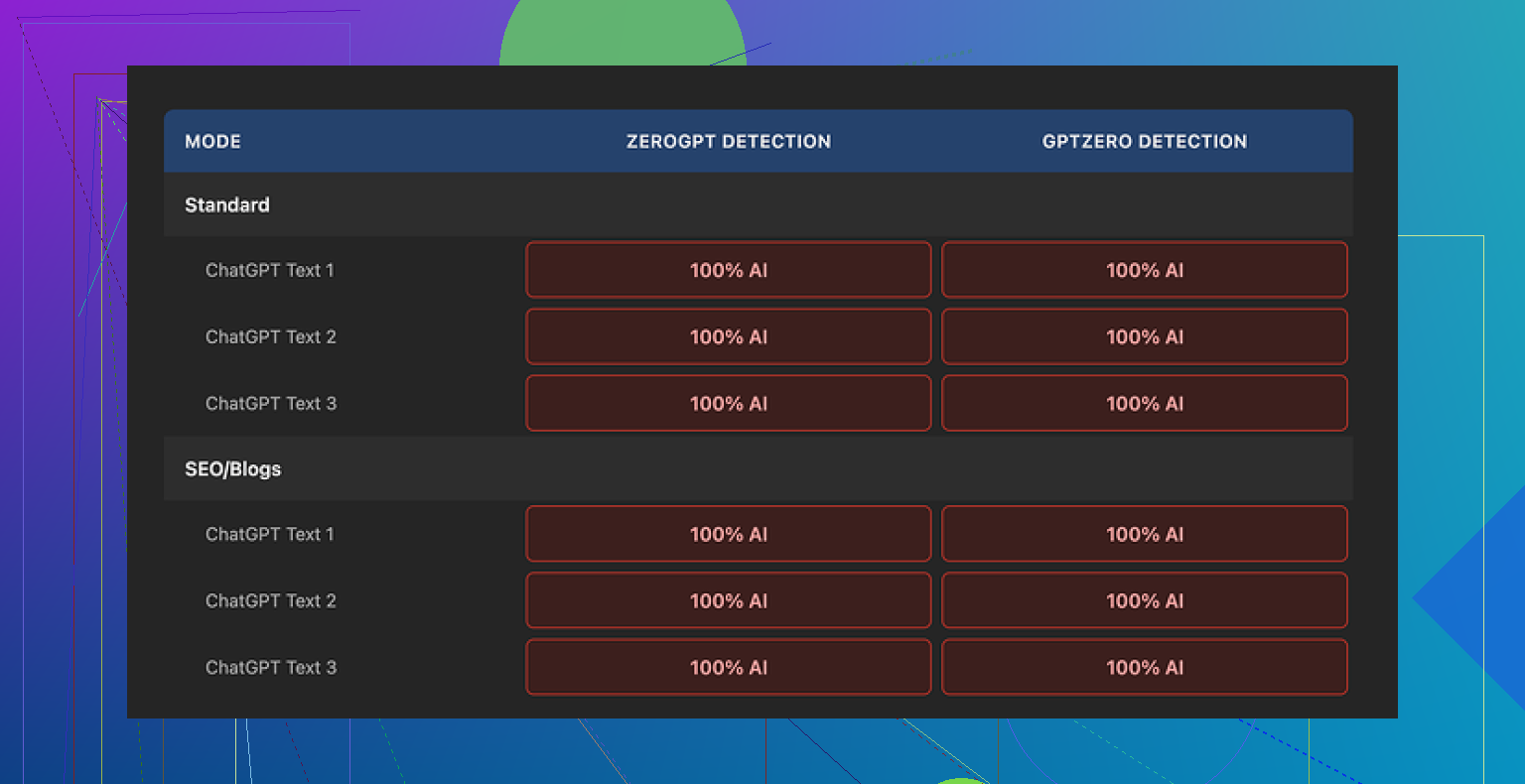
I ran multiple texts through the Originality AI Humanizer, then checked everything with GPTZero and ZeroGPT. I used their Standard mode and their SEO/Blogs mode.
Every single sample came back as 100% AI on both detectors.
Not 60%. Not 80%. Every test hit the full 100% AI flag.
The reason is boring and obvious once you see the output. The tool barely changes your input. It keeps the same structure, same “AI-sounding” phrasing, even keeps things like em dashes and common filler words that show up in a lot of LLM text. If you paste in pure ChatGPT output, what comes back looks almost the same.
So when people ask about writing quality here, it gets awkward. You are not judging the humanizer. You are still judging the original AI text, since the humanizer barely touches it.
Some good parts, because there are a few
It is free. No login. No email trap. You load the page, paste your text, hit the button, done.
There is a 300 word cap per run, though. I got around it by using multiple incognito windows and chunking longer articles into pieces. Annoying, but it worked.
There is also a simple length slider so you can tell it to keep the output short or longer. That part behaved as expected. If I slid it up, I got more verbose text. Slide it down, it trimmed things.
Their privacy policy looked like someone who knows what they are doing wrote it. Clear language, no weird vague stuff. They mention that your content can be used for training but give you a retroactive opt-out option, which is rare. If you care about what happens to your text, that part is a small plus.
Why it still fails the “humanizer” job
If your goal is to get past AI detection, this tool does not help. At all.
I tried:
• Different topics
• Short answers and long articles
• Neutral tone and more opinionated tone
• Standard vs SEO/Blogs mode
Same outcome. Detectors lit up every time.
The edits are so minimal that any detection score you see is driven by the original model output, not by the humanizer’s processing. It is like running text through a light paraphraser that mostly swaps a couple words and then calling it a day.
After a while it started to feel less like a serious tool and more like a top-of-funnel toy. You search for “AI humanizer,” you land on their site, you get curious about detection, and then you are inside their paid ecosystem. From a business point of view, it makes sense. From a user point of view, you get no real help with bypassing detectors.
If your only goal is a quick, tiny rewrite of AI text and you do not care about detection, then sure, it technically works as a free paraphraser with a slider. But there are better options for that too.
Alternative that scored higher for me
After running the same kind of tests across multiple tools, I had better luck with Clever AI Humanizer. It produced more changed text and achieved better quality scores in detection checks, and it is also free.
Link they used for reference here:
If your priority is getting past detectors, Originality AI Humanizer did nothing useful in my testing. I would not rely on it for anything where AI detection matters.
1 Like
You are not doing anything wrong. The tool is.
What @mikeappsreviewer saw matches what I have seen. Originality AI Humanizer barely rewrites. Detectors still see the same patterns, structure, and token rhythm.
If your goal is to look more natural without losing meaning, treat the text like an editor, not like a spinner.
Practical things that help:
-
Change structure, not only words
• Merge some short sentences into longer ones.
• Split some long sentences into two.
• Change paragraph breaks.
• Move points around in a different order. -
Inject your own thinking
• Add 1 or 2 personal comments.
• Add a short example from your own expereince.
• Add one opinion you disagree with and explain why. -
Vary syntax and rhythm
• Mix simple, compound, and complex sentences.
• Start some sentences with things like “For example” or “What I found is” instead of straight subject verb.
• Remove repetitive patterns like “Additionally, Furthermore, On the other hand” in every paragraph. -
Use specific details
• Numbers, dates, tools, short quotes, references to real situations.
• Detectors often flag generic, context free text. -
Edit like a human would
• Delete whole lines that feel like filler.
• Rephrase sections from scratch without looking at the AI output for a moment.
• Read it out loud. Fix anything you would not say.
Where I slightly disagree with @mikeappsreviewer is on the “all detectors light up every time” part. I have seen cases where heavy manual revision drops Originality scores a lot, even when the draft started as AI. The key is that the human work has to be real, not surface level paraphrasing.
If you still want a tool in the loop, Clever Ai Humanizer tends to push the text farther away from the original. It helps as a starting point, then you go over it and do your own passes.
One honest note. If the purpose is to hide AI use from someone who strictly bans it, no tool is a safe fix. If the purpose is to get cleaner, more natural text that passes automated checks because it has genuine human edits, then the mix of AI draft, Clever Ai Humanizer, and strong manual editing works much better than Originality’s own humanizer.
You’re not doing anything “wrong.” The tool just isn’t doing enough heavy lifting.
I’m with @mikeappsreviewer on this part: Originality’s humanizer barely rewrites. It’s like a light paraphrase filter, not a second brain. And I only half-agree with @sternenwanderer on “manual revision fixes everything” because you can spend an hour editing and some detectors will still scream AI if the skeleton of the text stays the same.
A few angles that aren’t just “rewrite more”:
-
Stop starting from polished AI text
Detectors love that very clean, perfectly ordered structure.- Instead, try: jot messy bullet points yourself, then use AI only to expand specific bullets.
- Or have AI write pieces (examples, definitions) and you stitch them together in your own order.
The less “single-model-monologue” your draft looks like, the better.
-
Break the logical flow on purpose
Originality-style text has super linear logic: intro → point 1 → point 2 → summary.
Add stuff that AI usually avoids:- A quick aside that slightly interrupts the flow.
- A mid-paragraph contradiction like “I’m not even sure this matters, but here’s the thing…”
That kind of “mess” is very human, and most tools do not inject it.
-
Use “ugly” language strategically
Not just synonyms. Actually let it sound a bit off:- Mild redundancy: “This is basically, like, the main point here.”
- Non-textbook phrases: “This part kind of sucks, honestly.”
- Tiny grammar bends, short fragments.
Detectors key off clean, formal, rhythmically neat text. Imperfection helps, as long as you stay readable.
-
Change the information pattern, not only style
This is where most humanizers fail. They keep the same ideas in the same order.
Try:- Merge two points into one and drop a third point completely.
- Introduce an idea earlier and refer back to it later.
- Add a brief “this actually went wrong for me once…” and describe it.
Now you’re not just paraphrasing, you’re altering the underlying structure.
-
Use tools as a first pass, not a final fix
If you still want automation in the loop, something like Clever Ai Humanizer actually makes bigger structural changes than Originality’s own tool. It is still not magic, but it gives you a more “distorted” base to edit from.
My workflow when I care about detection:- Draft with AI.
- Run through Clever Ai Humanizer once.
- Then do a brutal manual pass: cut 10–20 percent, rewrite a couple of whole paragraphs from scratch, and insert 2 or 3 personal details.
That combo tends to test better than just smashing the Originality humanizer button.
-
Accept there’s no 100 percent safe bypass
This is the part people usually don’t want to hear. If someone is actively hunting for AI and has both tools and motivation, there is no guaranteed “cloak.” Especially if the policy is “no AI at all.” Tools might lower flags, not erase them.
If your true goal is: “Looks and reads like me, doesn’t get auto-flagged constantly,” then mix:
- More chaotic, human planning.
- Moderate use of something like Clever Ai Humanizer.
- Real editing where you’re willing to delete, shuffle, and re-explain things in your own mental language.
If your goal is: “Perfect AI-written essay with zero risk of detection,” that’s where all these humanizers quietly fall apart, Originality’s included.