I accidentally deleted important files from my USB drive while cleaning it up, and now I’m trying to find the best USB file recovery tool to get them back. I need help choosing software that actually works for accidental deletion, preferably something safe, easy to use, and good for recovering documents and photos.
I’ve seen this mess more times than I wanted to. A USB stick looks fine one day, then Windows throws a format prompt, or the folder opens blank like your files got erased from history. I had it happen on my own drives, and I’ve had friends hand me theirs with the same panicked face.
After enough recoveries, I stopped treating every broken flash drive like a lost cause. A lot of them are not dead. They’re damaged, corrupted, or unreadable in ways regular file browsing doesn’t handle well. And the tool you pick changes the outcome more than most people think.
Do these two things first
Stop writing anything to the USB drive. If files were deleted or the file system got wrecked, your data might still be there until new data lands on top of it.
Save recovered files somewhere else. Use your internal drive, another external disk, whatever you trust. Don’t write recovered data back onto the same USB stick.
Those two steps sound obvious. People still skip them. Then they make the problem worse.
The one I reach for first
If I had to start with one tool, it would be Disk Drill. I kept landing on it because it does two things well at the same time. It finds stuff, and it doesn’t make the recovery process feel harder than the failure itself.
I’ve used it on deleted docs, formatted USB drives, damaged flash storage, and SD cards that suddenly stopped mounting right. For normal people, or even for someone who knows their way around storage tools but doesn’t want a fight, it’s a solid first pass.
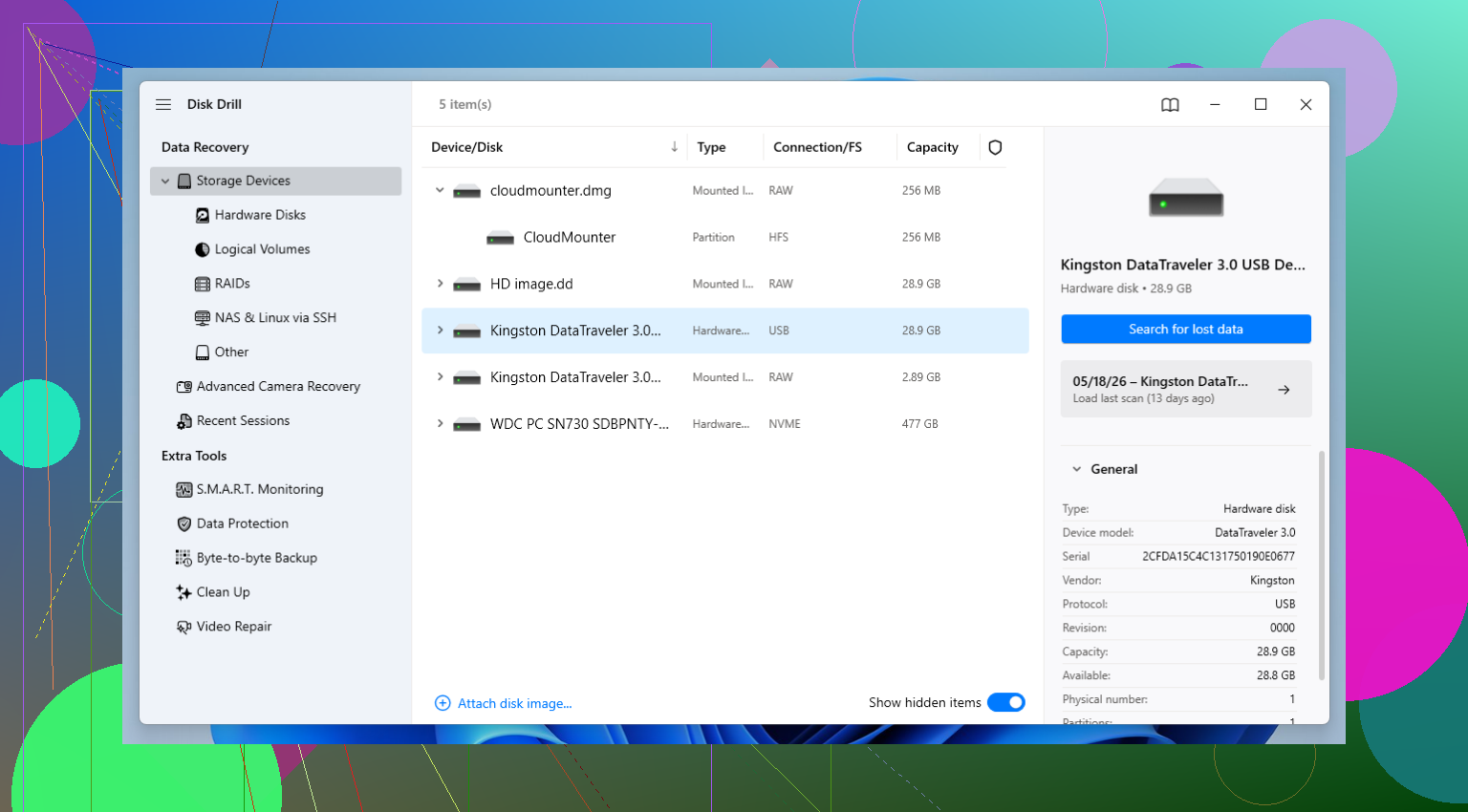
The preview feature matters more than people give it credit for. I don’t want to recover 40 GB of junk only to learn the files are broken. Being able to check files before recovery saves time. Another thing I liked was the byte-to-byte backup option. When a USB drive starts disconnecting, freezing, or doing weird reconnect loops, I’d rather image it first and work from the copy. Safer. Less chance of the drive getting worse mid-scan.
When you need more control
R-Studio is where I go when the easier tools aren’t enough, or when I want tighter control over the scan. It’s strong. No point sugarcoating the rest, though, the interface feels built for people who already know what partitions, file systems, and scan parameters are doing under the hood.
If you’re comfortable poking through technical settings, R-Studio gives you a lot to work with. If you aren’t, it can feel like too much software too fast. I’ve had good results with it on ugly cases, but I wouldn’t hand it to somebody who only wants a big Recover button and no surprises.
If you need a free option
PhotoRec still earns its place. I’ve used it on drives where the file system was trashed badly enough that other tools came back with scraps. It works differently, which is part of why it sometimes pulls files from cases where nicer-looking apps don’t.
The catch is annoying. PhotoRec often recovers by file signature, not by rebuilding the original file system layout. So you may end up with your files but lose the old names and folder structure. If you had years of stuff sorted neatly, prepare for a mess. Also, the interface is old-school and blunt. First time users tend to stare at it and think they broke somthing before they even started.
Still, for free, it punches above its weight.
The order I’d use
My usual path is simple.
Start with Disk Drill because it gives a good mix of recovery results and sane workflow.
If the case looks rough or you need finer control, move to R-Studio.
If you want a no-cost fallback, or the file system is wrecked beyond what the others handle well, try PhotoRec.
After you get the files back
This part is boring until you lose data twice.
Set up backups. I learned this one the hard way. The 3-2-1 rule is still the easiest setup to remember. Keep three copies of your data. Put them on two different types of storage. Keep one copy somewhere else.
You do that, and a dying USB stick turns into a small inconvenience instead of a week-long headache.
1 Like
I’d put Recuva on your short list first, esp for accidental deletion on a USB drive. It’s fast, cheap, and simple. If the drive still shows the right size and opens normally, Recuva often pulls deleted files back with names and folders intact. That matters more than people admit.
Where I part ways a bit with @mikeappsreviewer is starting with heavy scans every time. For plain accidental delete, I’d try a lighter tool first. Deep scans take longer and dump more junk into results.
My order:
- Recuva for recent deletes.
- Disk Drill if Recuva misses files or the USB looks flaky.
- TestDisk if the partition got messed up.
- PhotoRec only if you accept lost filenames. It works, but cleanup is a pain.
Disk Drill is still a solid pick. Better preview, better interface, easier sorting. If you want one app with less guesswork, use Disk Drill.
Also, this helped me compare USB recovery apps fast:
best USB data recovery software video roundup
Do not save recovered files back to the same stick. People do it anyway, then wonder why stuff is half-gone. I did that once too. Bad move, lol.
For straight-up accidental deletion, I actually would not jump to PhotoRec first like a lot of people do. Great last-resort tool, sure, but getting 2,000 files back named f1234567.jpg is my personal version of torture.
My vote is Disk Drill if you want the best balance of easy + effective for USB file recovery. It’s better than a lot of “simple” tools at showing previews, sorting by file type, and recovering stuff without turning the process into a science project. For deleted files on a USB stick, that combo matters more than people think. Recuva can work too, like @viaggiatoresolare said, but in my experince it feels more hit-or-miss once the drive has even a tiny bit of corruption.
Where I kinda disagree with @mikeappsreviewer is that not every accidental delete needs the more advanced path right away. If the USB is still detected normally, I’d start with a quick scan in Disk Drill, check previews, then only go deeper if needed. Less clutter, less wasted time.
One thing I’d add that neither post really stressed enough: if the deleted files were super important, check the USB’s health before hammering it with repeated rescans. Some flash drives get weird fast.
If you want a broader comparison of the best USB recovery software and how people rank the alternatives, this thread is worth a look:
best USB recovery software comparisons and real user picks
Short version:
- Disk Drill = best first choice for most people
- Recuva = fine for basic recent deletes
- R-Studio = stronger, but more technical
- PhotoRec = powerful, but messy as hell
And yeah, recover to a different drive. Saving back to the same USB is how people turn “oops” into “welp.”
I’d split this by what actually happened, because “deleted from USB” can mean two different recovery jobs.
If it was a normal accidental delete and the stick still opens fine, I slightly disagree with the “always start tiny and simple” camp. Recuva is nice, but I’ve seen it miss files on flash media that Disk Drill found on the first pass. So for a USB drive, I’d personally start with Disk Drill, not because it’s magic, just because it handles the “simple case that turns out not to be simple” better.
Disk Drill pros
- very easy to sort results
- preview is useful before recovering
- works well when the USB is readable but flaky
- good balance between beginner-friendly and capable
Disk Drill cons
- not the cheapest route if you only need one quick recovery
- scan results can feel crowded on larger drives
- not the tool I’d pick first for deep manual partition work
Where I agree with @viaggiatoresolare, @nachtdromer, and @mikeappsreviewer is that tool order matters. I’d just tweak the order a bit:
- Disk Drill first for most accidental USB deletes
- R-Studio if you need more control or the file system looks weird
- PhotoRec only when you’ve accepted the filename chaos
- TestDisk if the issue is more partition damage than deleted files
One extra thing people skip: if the USB is disconnecting, stop scanning it repeatedly and make an image first. That’s where recoveries go sideways fast.