I need professional-looking headshots for my LinkedIn and portfolio, but I can’t afford a paid photoshoot or expensive AI tools. Most “free” AI headshot generators I’ve tried either add heavy watermarks, have super low quality, or force a subscription to download anything useful. Can anyone recommend legit free AI headshot generators that produce clean, realistic results without hidden costs?
Are there free AI headshot generators in 2026?
Short answer from someone who has burned too many trial credits: sort of, but none let you grind out unlimited pro shots without paying at some point.
Here is what I have tried and what you actually get for free.
Free options, with strings attached
- Eltima AI Headshot Generator (iPhone)
This is the one I keep on my phone because it does something rare: it gives you one full AI headshot per day without asking for a card first.
App link: Eltima AI Headshot Generator App - App Store
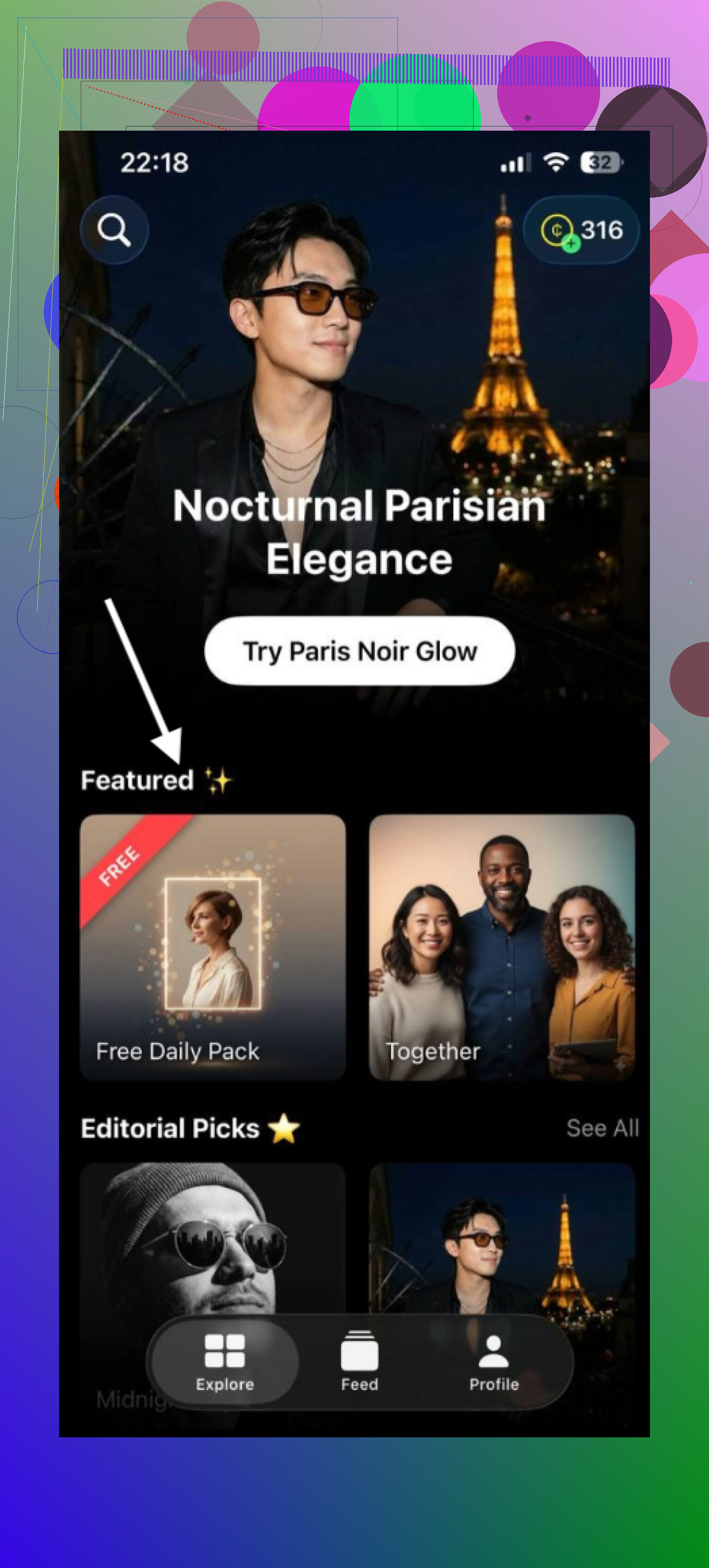
How I use it:
- I upload 1 to 3 selfies where my face is clear, no weird shadows, no filters.
- I pick a style that matches what I need that week. Office look, more relaxed, or slightly artsy.
- It spits out an AI headshot that still looks like me, not like a random model.
The daily limit forces you to pace yourself. I used it for a week and ended up with a small pack of different looks, enough for LinkedIn, company Slack, and a couple of profile pics. If you need 50 options in one evening, this will feel slow. If you are patient, it slowly pays off.
You do hit paywalls for bigger batches and extra styles, but the one-per-day thing is real and usable.
- HeadshotPro (web)
Website: search “HeadshotPro AI headshot” and you will see it. Their landing page is everywhere.
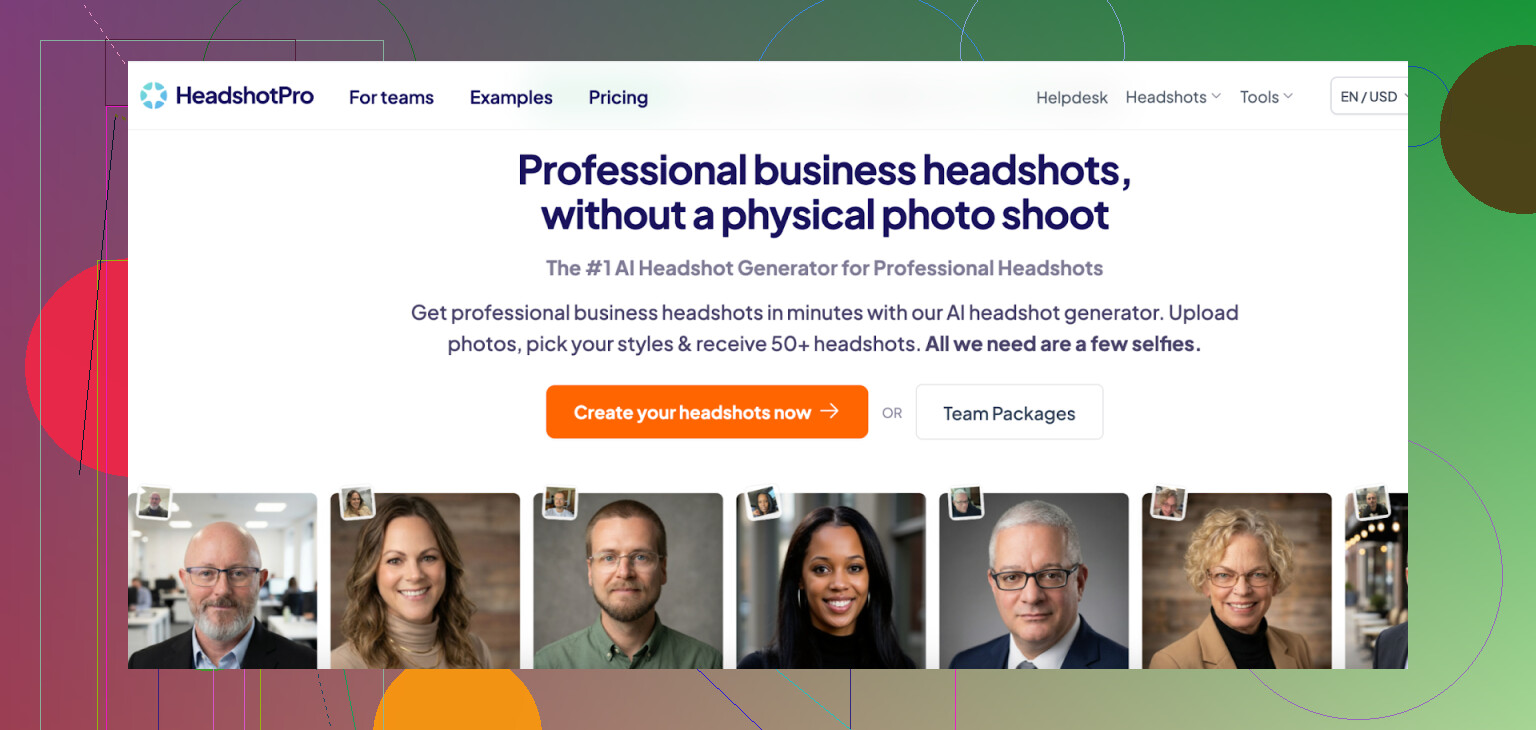
What I noticed:
• You get demo previews so you see how your face gets rendered in different outfits and backgrounds.
• The previews are enough to judge quality and whether it fits a corporate profile or not.
• When you want the clean, high resolution images, it asks for credits or a paid pack.
So yes, you can try it without paying first, but you hit a wall once you want files you can actually upload to LinkedIn without compression artifacts or watermarks.
I used this once to compare with Eltima. HeadshotPro looked slightly more “studio” and polished, but no way to use it long term for free.
- Photoleap AI (mobile and web)
Photoleap is more of an all-in-one photo and AI playground, not only headshots.
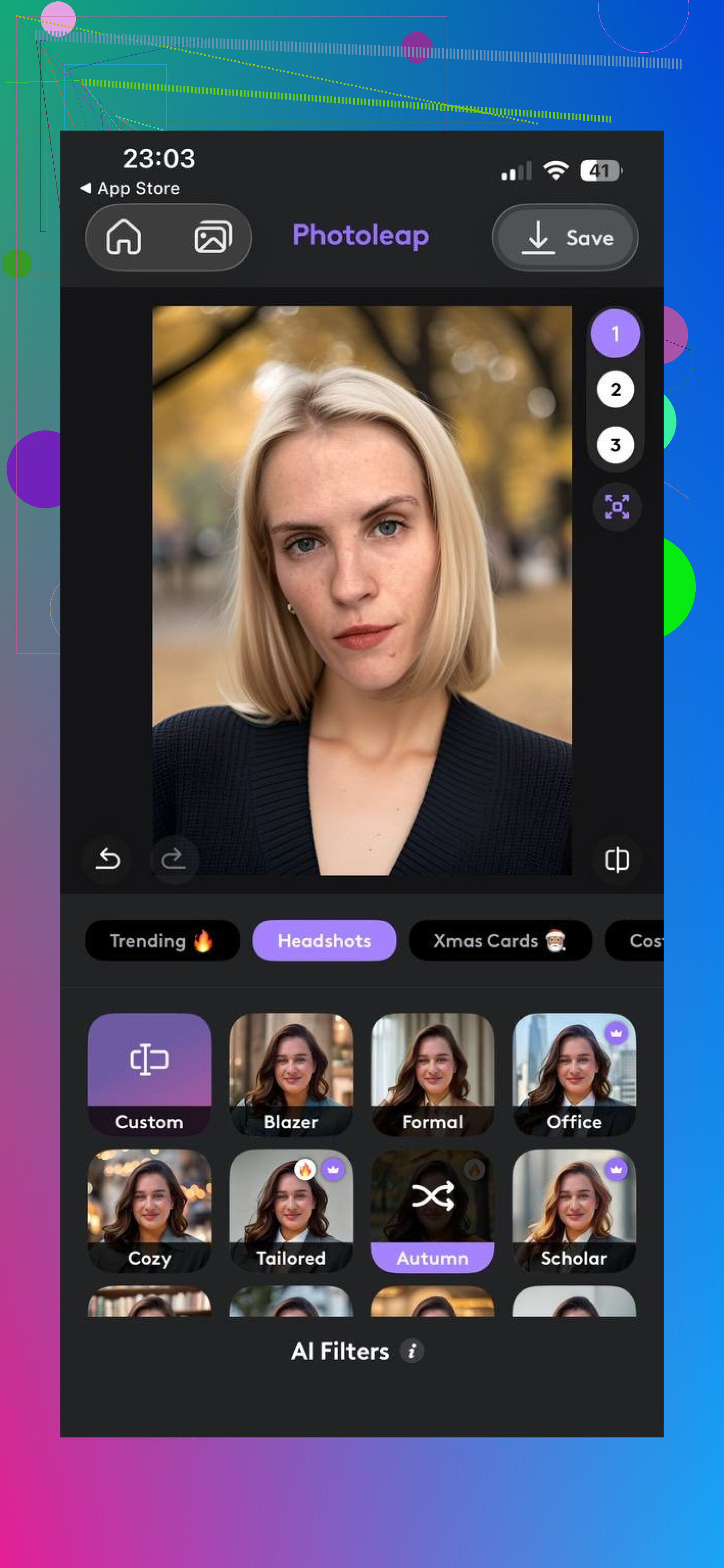
You get:
• Some free AI portrait tools built into the app.
• Style filters that turn a selfie into a fake photoshoot, sometimes into something closer to fan art.
• Enough free tries to see if you like the vibe.
The reality:
• Many of the better looks, cinematic stuff, and higher resolution exports sit behind the paid tier.
• The free output works for casual profiles or social posts. For strict “HR will judge this” headshots, I found it hit or miss.
I used Photoleap when I wanted something less formal, like a profile pic for a hobby Discord. For that, the free options were fine.
Why nothing is unlimited and free
After messing with these tools for a while, the pattern is obvious. Every generation costs the provider money. They run GPUs, pay for storage, maintain models. So they limit things in a few predictable ways:
• You get a small daily or one-time quota.
• You see previews but need credits for downloads.
• Some export sizes are locked.
• Some tools stamp watermarks on free images.
• Subscription or bundles unlock real usage.
I have not seen any service give unlimited, professional quality headshots for free with no catch, no credit card, no watermark, nothing. If one appears, it tends to pull back the offer once usage explodes.
What “free” usually means in practice
From what I have used:
-
Eltima AI Headshot Generator
• One free AI headshot each day.
• No card needed to start.
• Works for slowly building a set of usable shots. -
HeadshotPro
• Free demo previews from your uploaded photos.
• Good to test style and realism.
• Payment needed for the real, downloadable images. -
Photoleap AI
• Some free AI portraits and edits.
• Enough to play and check the look.
• Advanced styles and high quality exports are paid.
Why I keep using Eltima’s daily free image
Among the tools, Eltima is the one I still open regularly because the rule is simple and predictable: one free shot each day.
iPhone app: Eltima AI Headshot Generator App - App Store
Mac page: Eltima AI Headshot Generator App - Create Pro Photos in 2026
The parts that matter for actual use:
• I did not have to enter payment info to test it.
• I tried different clothing and style options over several days and picked what worked.
• After about ten days, I had enough headshots to cover LinkedIn, work tools, side projects, and a few backups.
Quality wise, it sits in the “professional enough for recruiters and clients” range, not in the “Instagram filter” range. That made it useful instead of being another toy app I uninstall.
If you need:
• A couple of strong headshots over time, without rushing: Eltima is the easiest free option I have tried.
• One-time quality pack for a job search: HeadshotPro with a paid pack made more sense for a friend who needed 30 options in a weekend.
• Fun or stylized portraits for non-work use: Photoleap’s free tools are decent for that.
Do free AI headshot generators exist?
Yes, but with limits on:
• How many images you get.
• Resolution and watermarking.
• Which styles you can pick.
If you want ongoing, realistic headshots without paying on day one, Eltima AI Headshot Generator is the one I would start with, then move to paid tools only if you find yourself needing bulk output or faster turnaround.
2 Likes
Short answer. Truly free, no watermark, high quality, unlimited headshots do not exist right now. Every service pays for GPU time, so they cap something.
That said, you still have a few workable paths if you are ok with a bit more effort. I will avoid repeating what @mikeappsreviewer covered and go at it from a different angle.
- Use general image models, not “headshot” apps
Instead of branded headshot tools, you can use general image generators that offer free tiers with decent output. You lose some convenience, but you gain control and fewer paywalls.
Look for:
• Web tools that let you upload your face as a “reference image”
• Support for 1:1 or 4:5 aspect ratio
• At least 1024 px output on the free plan
• No forced watermark on free exports
Right now, a lot of browser based frontends built on Stable Diffusion or SDXL fit this. Many of them rotate between “no watermark” and “low watermark” modes to attract users. If your budget is zero, you can take advantage of those windows.
Search terms to try:
• “free SDXL portrait generator no watermark”
• “stable diffusion webui free portrait reference”
You will need:
• 3 to 5 good selfies in neutral light
• Prompts like “professional corporate headshot, neutral background, business casual, 35mm portrait, sharp focus”
• A bit of trial and error
- Use open source + free GPU credits
If you are willing to tinker a bit, this route gives you the closest to “truly free” with no watermark and high quality.
Rough flow:
- Get a Stable Diffusion or SDXL headshot trained checkpoint from Hugging Face or Civitai. Search for “professional headshot SDXL” or “business portrait model”.
- Run it on a free GPU environment.
• Kaggle, Google Colab, or some smaller cloud providers often offer limited free GPU hours. - Use your own selfies as input. Run an image to image pipeline with:
• low denoise settings so your face stays consistent
• prompts that match LinkedIn style - Export at 1024x1024 or upscale with a free upscaler model.
Cost:
• Money: zero, unless the free GPU hours run out.
• Time: 1 to 2 hours to set up the first time, faster after that.
This path avoids watermarks and lets you generate quite a lot before hitting usage caps.
- Mix free tools: edit instead of full AI generation
If the fully AI look keeps failing or looks “plastic,” you can start from an ok selfie and upgrade it.
Workflow that works for a lot of people:
- Take a selfie in front of a plain wall, near a window, no harsh shadows, clean shirt or blouse.
- Use a free background remover. Search “free background remover no watermark”.
- Replace background with a simple gradient or light grey in a free editor.
- Run a free “portrait enhancer” or “face retouch” tool with low strength to avoid fake skin.
- Crop to 1:1 or 4:5, keep your eyes in the top third of the frame.
This result often passes as “professional photo” instead of obvious AI. For LinkedIn, that is usually enough.
- About “truly free”
Where I mildly disagree with @mikeappsreviewer is on the usefulness of daily limits. If you are actively job hunting and want options fast, one image per day feels too slow.
If you need:
• One good LinkedIn photo this week
Then:
• One or two sessions with an open source model on a free GPU or
• A good natural selfie plus edit flow
get you there quicker than drip feeding through a daily cap app.
- Practical checklist
To keep it simple, here is what I would do in your position with zero budget:
Option A, quick and dirty:
• Take 10 minutes to shoot 10 selfies in good light.
• Pick the sharpest one, neutral expression, no busy background.
• Remove background with a free tool.
• Drop in a simple light grey or soft blue background.
• Slight retouch, light sharpening, export at 1080x1080.
• Use this on LinkedIn now.
Option B, more “AI” look:
• Use a free SDXL portrait site that supports image upload.
• Upload 2 or 3 selfies.
• Prompt “professional LinkedIn headshot, business casual, neutral background, realistic, 35mm photo, soft lighting, no heavy makeup.”
• Generate 6 to 10 images.
• Pick 1 or 2 that still look like you, with natural skin and eyes.
• If resolution is small, run them through a free image upscaler.
None of this locks you into a subscription and you do not need to put a card on file. The tradeoff is time and a bit of tech friction instead of cash.
You are not crazy: “truly free, high quality, no watermark, unlimited” AI headshots basically don’t exist. Every generator is trying to turn your face into GPU money.
Since @mikeappsreviewer already covered the usual suspects (Eltima, HeadshotPro, Photoleap) and @techchizkid went deep on Stable Diffusion & Colab, I’ll come at it from a slightly different angle: how to get one or two legit LinkedIn‑ready headshots with almost no AI-specific tools at all.
This is the part I slightly disagree with both of them on: you actually don’t need a purpose‑built “AI headshot generator” if your goal is “good LinkedIn pic.” Those products are mostly a UX layer on top of the same diffusion tech you can sidestep.
Here’s the low‑effort, actually‑free route that works absurdly well:
-
Shoot a decent base photo
• Stand near a window, daylight, facing the light, plain wall behind you.
• Put your phone at eye level, back camera if you can, tap to focus on your face.
• Neutral expression, business‑casual clothes.
If you take 15 shots like this, at least 2 will be surprisingly usable. No AI yet, just not a garbage selfie. -
Use a free background + cleanup combo
Skip the fancy “AI headshot” branding and do this instead:
• Search:free background remover no watermarkand use any of the big tools that let you export full res.
• Drop the cut‑out into a free online editor (Photopea, Canva free, Fotor free, whatever).
• Add a solid light gray / light blue / off‑white background.
• Slightly brighten and increase contrast, don’t crank the “beauty” slider to 100 or you’ll look like a wax figure. -
Very light AI retouching
This part is where a tiny bit of “AI” helps without going full fake:
• Use a free “portrait enhancer” / “face retouch” tool that lets you pick low intensity.
• Fix minor skin texture, under‑eye shadows, and sharpen the eyes.
• If the app tries to change your face shape or makeup a lot, dial it way down.
You want “slept well last night,” not “generated influencer.” -
Export correctly
• Crop 1:1 or 4:5, eyes in the top third.
• 1024×1024 or higher.
• Save as JPG with medium‑high quality to avoid weird compression on LinkedIn.
Result: you get something that genuinely looks like a professional headshot, zero watermarks, no subscription, and you didn’t burn through “5 free AI headshots” before the paywall smacks you.
Is this “AI headshot generator” in the trendy sense? No.
Is it “truly free, portfolio‑ready, not obviously AI plastic”? Yes, if you take 20–30 minutes and are at least a tiny bit picky.
If you insist on a fully AI‑generated look, I’d actually treat Eltima (like @mikeappsreviewer mentioned) as a slow backup plan and in parallel do what @techchizkid suggested with a general SDXL portrait site, get 4–6 decent AI versions in one evening, and then keep one natural photo‑plus‑edit as your main LinkedIn pic. The hybrid approach usually beats chasing some mythical unlimited free generator that, frankly, is not coming.