I’ve been testing the Writesonic AI Humanizer to make my AI-written content sound more natural, but I’m not sure if it’s actually helping with readability or SEO. Some posts seem fine, others feel over-edited or still robotic. Can anyone who’s used it long term share real results, pros, cons, and whether it’s worth relying on for blog posts and affiliate content?
Writesonic AI Humanizer Review
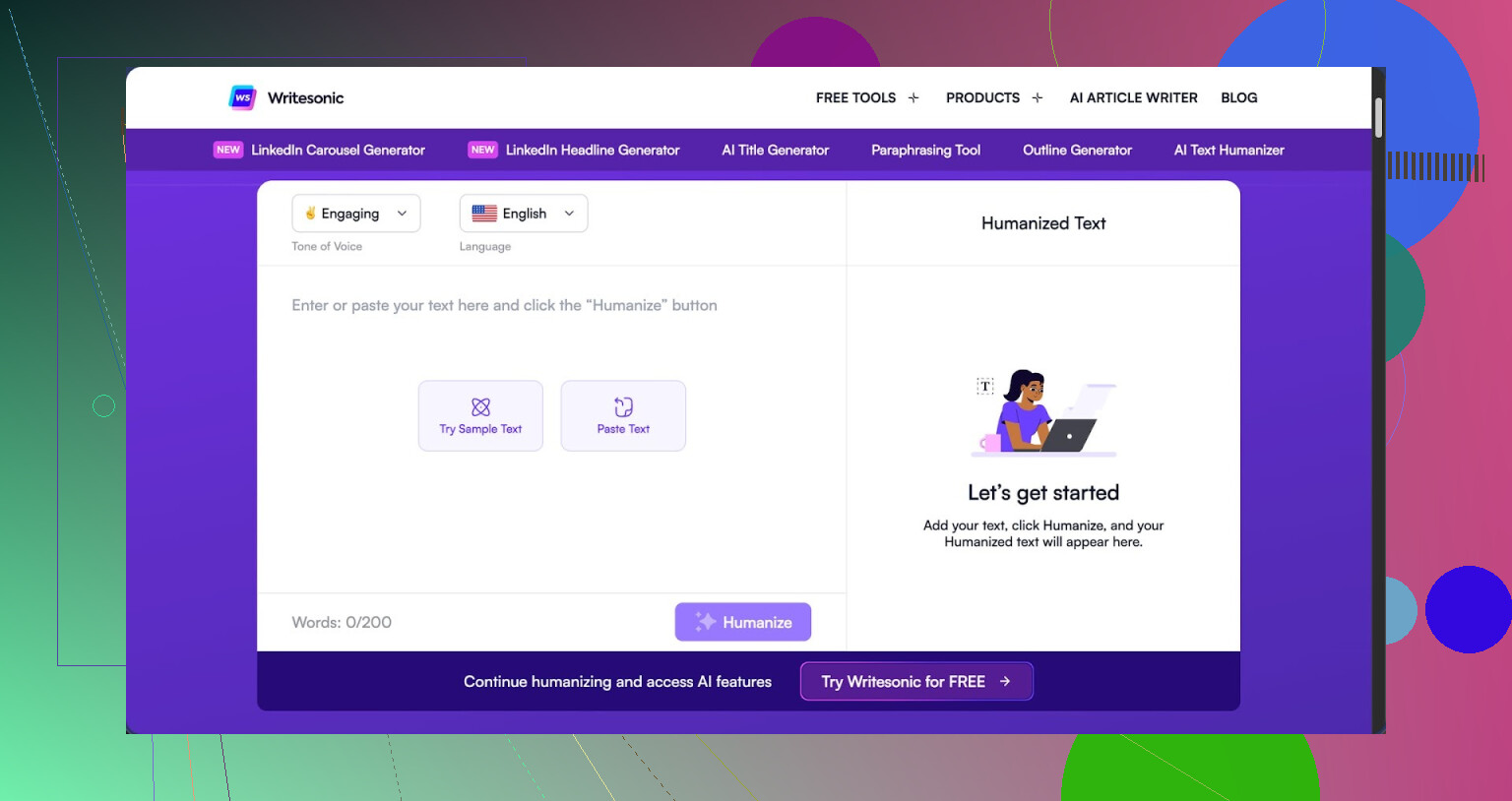
I tried the Writesonic humanizer for a week because I was curious why people kept mentioning it. Short answer from my side, it feels bolted on, and the price does not match the output at all.
You have to pay at least $39 per month if you want unlimited humanization. That is only for the humanizer access inside their bigger SEO / content platform. Out of everything I have tested so far, this is the highest priced one, and the quality sits in the lower half.
Here is what I saw in tests.
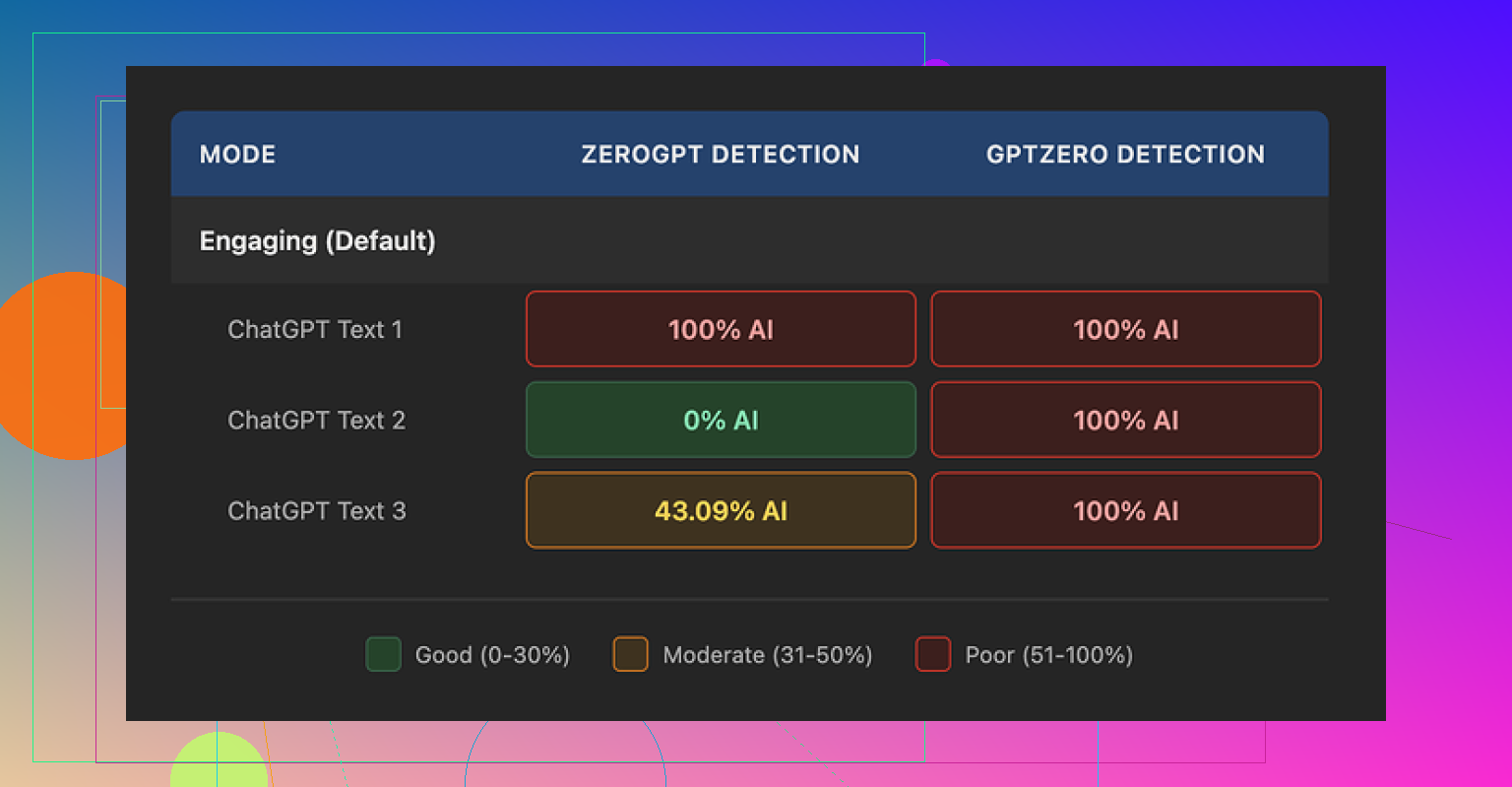
I ran three different samples through their humanizer. Then I checked the outputs with two detectors:
-
GPTZero
All three humanized samples were flagged as 100% AI generated. No nuance, straight 100% on each. -
ZeroGPT
This one was all over the place:
• First text: 100% AI
• Second text: 0% AI
• Third text: 43% AI
So, you get one that looks “safe”, one that looks totally AI, and one in the middle. That kind of spread does not give much confidence if you care about detection risk.
My guess, after seeing the interface and the rest of the product, is that the humanizer feels like a side toy added to a platform that focuses more on SEO writing and automation. It does not feel like they built it as a serious stand‑alone humanization tool.
Now about writing quality.
I scored the output 5.5 out of 10, and that was being kind. The main “trick” it uses is to chop sentences into shorter bits and swap out normal vocabulary for simpler phrases. That is fine in theory, but it overshoots hard.
Some examples from my runs:
• “droughts” became “long dry spells”
• “carbon capture” turned into “grabbing carbon from the air”
• “rising sea levels” was changed to “sea levels go up”
After a few paragraphs of this, the text reads like a kid’s science worksheet. If your topic needs any technical nuance or if you write for adults, it feels off.
On top of that, I ran into:
• Repeated punctuation errors in all three samples
• Em dashes left exactly as they were, not adapted or reworked into cleaner structure
• Occasional weird rhythm in sentences, like someone chopped them up and glued them back without re‑reading
So, you pay a premium, and you get “long dry spells” instead of “droughts”.
Free tier details, so you know what you get before paying:
• 3 humanizations
• 200 words max per run
• After that, you need an account if you want more
There is also a note buried in the policy that free‑tier inputs might be used to train their models. If you care where your text ends up, you should think about that before pasting anything sensitive.
I ran the same kind of tests with Clever AI Humanizer and got much more natural output, less weird simplification, and better scores on AI detectors, and that one is free:
If your goal is only “make this look more human and pass detectors,” my experience is that Writesonic charges top price for something that behaves like a simplified paraphraser. For SEO bulk users who already pay for the full suite, it might be a small utility. For someone hunting a strong humanizer, I would look elsewhere first.
1 Like
I had the same mixed results as you with Writesonic’s humanizer, so here is a straight breakdown focused on readability and SEO.
- Readability
For short, simple posts it does ok.
For anything technical or niche, it strips nuance.
I saw things like:
- “user acquisition cost” → “money you spend to get users”
- “time to value” → “how long it takes to see results”
That sounds fine once or twice. Over a whole article it feels like something written for middle school. If your audience is professionals, that tone hurts trust.
It also tends to:
- Over shorten sentences, so the flow feels choppy.
- Introduce odd transitions that do not match your voice.
- Miss small grammar issues, so you still need to edit.
If you feel some posts are “over edited,” your gut is right. The tool pushes toward a single safe style. If your brand has a distinct tone, you end up fighting it.
- SEO impact
From what I tested, the effect on SEO is neutral at best, negative at worst.
Search engines care about:
- Topic coverage and relevance
- Clarity and structure
- User engagement signals
- Original value
Writesonic’s humanizer does not improve topical depth. It only rephrases. In some of my pages, it even weakened key phrasing.
Examples:
- Turned specific phrases into generic language, which likely reduces relevance.
- Softened headings so they no longer matched the search intent.
If you already wrote a solid article, running it through a blunt humanizer often lowers topical precision. That can hurt rankings over time.
- AI detection angle
I saw different numbers than @mikeappsreviewer, so I slightly disagree there on the severity, but the pattern is similar.
Across tools like GPTZero, ZeroGPT, and Originality:
- Some paragraphs passed fine.
- Some were still high AI probability.
- There was no stable pattern across niches.
So if your main goal is dodging detectors, it is unreliable. Humanized outputs still “look AI” in rhythm and structure.
- When Writesonic’s humanizer helps
From my use:
It is mildly useful if:
- You need to simplify language for a broad audience.
- You write short FAQ, intros, or summaries.
- You already pay for the whole Writesonic suite and treat it as a small helper.
It is not great if:
- You care about strong personal voice.
- You write technical content.
- You want reliable AI detection avoidance.
- You expect it to improve SEO by itself.
- Practical way to use it without wrecking your posts
If you keep using it, I would:
- Only run problem sections, not entire articles.
- Keep your original headings and key phrases.
- Use it for sentence rewrites, then blend back your own word choices.
- Always do a read aloud pass to catch weird rhythm.
Example workflow:
- Write with your normal AI or by hand.
- Highlight clunky parts and run only those through the humanizer.
- Restore important domain terms it simplified too much.
- Check that your headings still match search intent and main keywords.
- Better option for “humanization only”
For pure humanization, I had better luck with Clever Ai Humanizer. It keeps more nuance and feels closer to natural writing when you tweak the settings a bit.
If you want more detail, there is a helpful Clever Ai Humanizer review here that walks through tests, examples, and results:
see how Clever Ai Humanizer stacks up in real-world SEO tests
- Quick SEO focused checklist
To see if Writesonic is helping your posts, pick 3 or 4 articles and compare:
- Time on page in analytics before vs after humanization.
- Scroll depth or event engagement.
- Click through rate from search if titles changed.
- Rankings for your main term and a couple long tails, over 4 to 8 weeks.
If you see:
- Lower engagement, shorter time on page, or drop in rankings after heavy humanization, scale it back and only use it on small sections.
- No change, then it is mostly cosmetic.
- My short verdict
Writesonic AI Humanizer is fine as a side tool if you already pay for the platform.
As a standalone “make this human and good for SEO” solution, the cost and output do not line up.
If your goal is:
- Stronger voice and better readability, manual editing plus a lighter humanizer like Clever Ai Humanizer will give you more control.
- SEO improvement, focus on structure, headings, search intent, and unique insights. Humanizers do not replace that work.
Same experience here: “sometimes okay, sometimes… what did you do to my article?”
I think the core issue with the Writesonic Humanizer is that it is trying to fix a style problem with a very blunt “simplify and chop” approach. That explains why some posts feel readable and others feel like a padded-out paraphrase.
Couple of angles that @mikeappsreviewer and @waldgeist already touched, but from a slightly different lens:
1. Readability vs. audience mismatch
I actually disagree slightly with the idea that its simplification is always bad. If you are writing:
- help docs for non technical users
- basic “what is X” content
- customer support macros
then “droughts” to “long dry spells” or “user acquisition cost” to “money you spend to get users” is not totally insane.
Where it breaks is when:
- You write for experts or B2B readers
- You need to show domain authority
- You rely on subtle tone or brand voice
In those cases, the humanizer keeps flattening your voice into one generic “clear for 6th graders” register, and that kills trust. It feels like a ghost writer who never met your brand.
2. SEO impact in practice
You asked if it’s helping SEO. In my tests it mostly behaves like this:
- It can slightly improve skim-ability for very stiff AI content
- It often reduces topical precision by turning specific terms into vague stuff
- It sometimes messes with headings or keyphrases so they drift away from search intent
Where I think some people overestimate it: search engines are not giving you a bonus just because writing “feels more human.” They care more about:
- Is the topic fully covered
- Are the headings aligned with what users search
- Do readers stay on the page and scroll
If the humanizer makes your text “lighter” but also less specific, you get neutral or negative SEO impact. I would not run entire articles through it if rankings actually matter.
3. How to use it without wrecking your posts
What worked ok-ish for me:
- Use it only on stiff, robotic sections
- Never touch titles, H1s, or important H2s
- Keep critical terms as-is and revert them when it over simplifies
- Treat the output as a rough first pass and then edit manually
Basically treat it like a glorified rephrase button, not a “fix my article” button.
4. Pricing vs. what you get
On this I’m fully with @mikeappsreviewer. For a feature that:
- cannot reliably evade AI detectors
- sometimes downgrades technical nuance
- needs manual cleanup anyway
the pricing is pretty wild. If you are already deep in the Writesonic ecosystem, sure, it is a small side benefit. If you are paying just for humanization, that feels like the wrong tool.
5. Alternative that behaves less like a toy
Since you mentioned readability and “sounding natural,” I would at least test Clever Ai Humanizer. In my runs it:
- Kept more of the original nuance
- Did not over simplify everything to kids-level
- Let me nudge tone without completely erasing my voice
If you want a solid breakdown, this is a nice starting point:
watch this in depth Clever Ai Humanizer review for real SEO examples
6. What I’d do in your place
Given what you described:
- Keep using Writesonic humanizer only on shorter snippets or intros
- Stop running full posts through it, especially technical ones
- Track 3 or 4 posts you did both ways and watch time on page and rankings for a month
- In parallel, try the same workflow with Clever Ai Humanizer and compare which version actually gets better engagement
If you see that your “over edited” versions have worse metrics, that is your answer: the tool is polishing away the exact signals that make users stay.
Short version: Writesonic’s humanizer is fine as a light rephraser, but if you expect it to fix tone, nuance and SEO in one click, it will keep disappointing you.
Where I partly disagree with what @waldgeist, @kakeru and @mikeappsreviewer said is on who it is actually good for. It is not just “only OK for basic stuff.” It can work for some professional content, but only if you lock it in a very small box.
Where Writesonic’s humanizer is actually useful
- Cleaning up very stiff AI copy on landing pages where nuance does not matter much.
- Turning internal notes into simple client facing blurbs.
- Drafting simpler versions of complex explanations for a “beginner” section in an article.
If you treat it as a scalpel, not a car wash, it can pull its weight.
Where it usually harms you
- Full length guides where terminology matters.
- Anything with a thought out narrative arc. It has no sense of pacing.
- Pages that already have solid topical coverage and strong headings. It only fiddles with phrasing, so you mostly risk losing precision.
On the SEO side, everyone already pointed out that search engines are not rewarding “sounds more human” in isolation. I will add one nuance: slightly more conversational phrasing can help CTR from snippets when Google pulls your sentences. The problem is that Writesonic is not smart about which sentences to polish. It treats everything equally.
On AI detection
Here I am a bit harsher than the others: if AI detection actually matters in your use case, do not rely on Writesonic at all. The variation across detectors that @mikeappsreviewer shared basically tells you it is just a paraphrase-style transform. That pattern is unlikely to stay safe as detectors evolve.
About Clever Ai Humanizer
If your main pain is “sounds robotic / flat” rather than “I am too lazy to edit,” I would test Clever Ai Humanizer as a comparison run on the same article.
Pros:
- Keeps more of your original structure and domain terms.
- Less aggressive simplification, so expert content does not collapse into kids’ copy so quickly.
- Better at adjusting rhythm without chopping everything into tiny sentences.
Cons:
- Still not a free pass for AI detection, you need to assume mixed results.
- Can occasionally preserve too much of the original, so bad passages stay bad and you still must edit.
- If you chase a very specific brand voice, you will still be hand tuning; it is a helper, not a ghostwriter.
How I would run the comparison
Without repeating all the step lists others gave:
- Take one of your “over edited” Writesonic versions and the original.
- Run only 2 or 3 clunky paragraphs through Clever Ai Humanizer.
- Publish variants on low risk pages and watch engagement and rankings for a few weeks.
- Keep whichever tool’s output needs less hand editing to sound like you while still hitting your target keywords.
If the Writesonic pass is constantly stripping key terms or making your intros feel like generic homework, it is not an SEO tool in your stack, it is just an occasionally useful rephrase button.